
NotebookLM AI Tool: Features & How to Use
In today’s fast-moving digital world, managing large amounts of information can feel overwhelming. However, the NotebookLM AI tool offers a smarter way to understand, organize, and transform your content efficiently.
Unlike traditional tools, this AI solution focuses only on the materials you provide. As a result, it delivers more accurate, relevant, and personalized outputs based on your own data
What is NotebookLM AI Tool?
The NotebookLM AI tool is a personal AI assistant designed to help users learn and work more effectively. It allows you to upload documents such as notes, research papers, and study materials, then generates insights directly from those sources.
In other words, it acts like an expert that understands your content deeply and helps you extract meaningful information quickly.
How NotebookLM AI Tool Works for Learning and Research
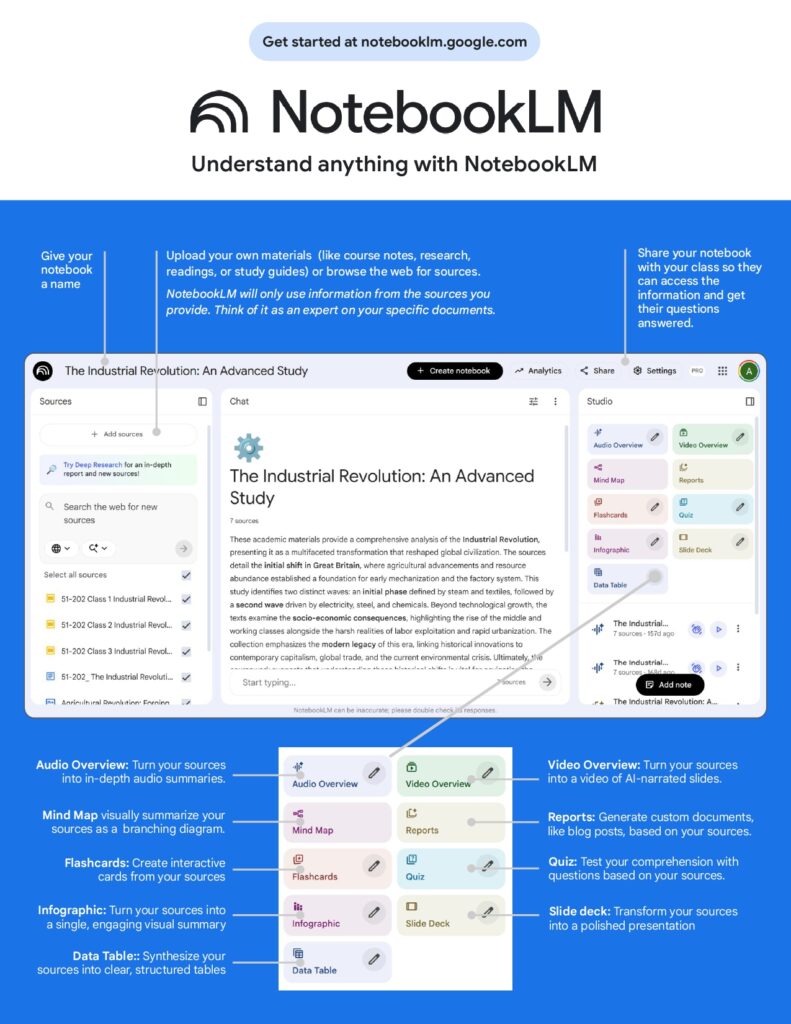
The process of using NotebookLM is simple yet powerful. First, you upload your materials into the notebook. Next, the system analyzes your sources carefully. Finally, it generates useful outputs such as summaries, quizzes, and reports.
Moreover, the tool only relies on your uploaded content. This ensures that the results remain accurate and aligned with your specific needs
Key Features of NotebookLM AI Tool
The NotebookLM AI tool comes with a wide range of features that enhance both learning and productivity.
1. Audio Overview in NotebookLM AI Tool
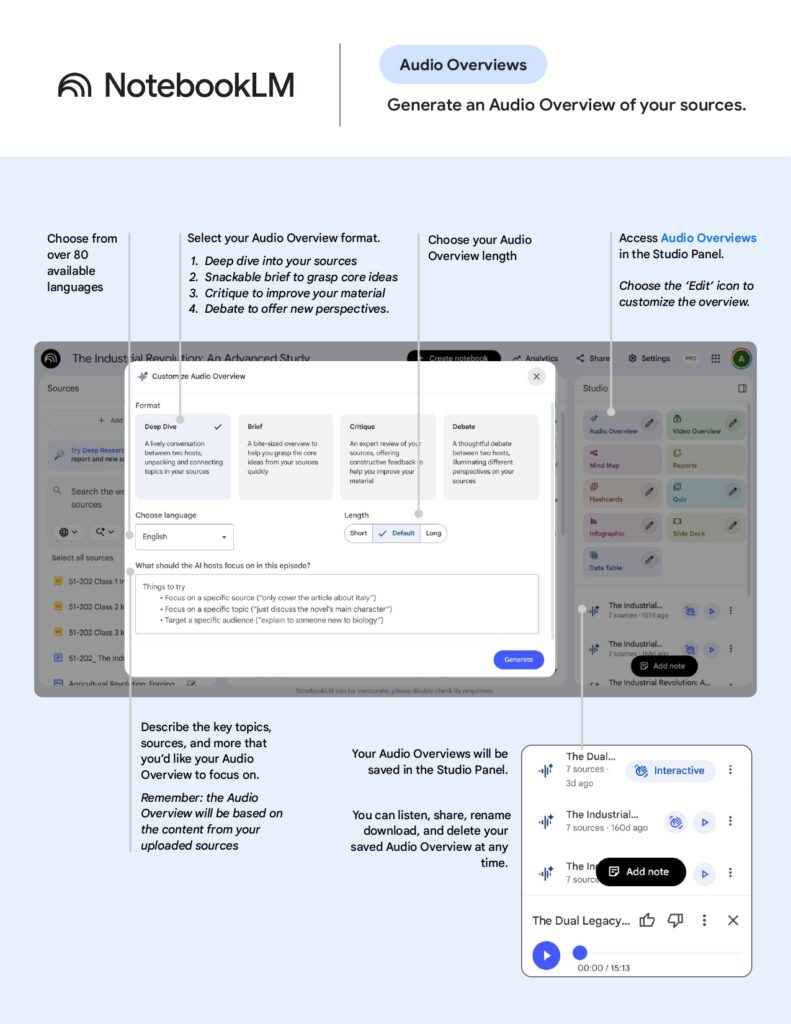
One of the most useful features is the ability to turn your documents into audio summaries. For example, you can choose between a deep dive explanation or a short, snackable summary.
Additionally, you can customize the language, tone, and length, making it perfect for learning on the go.
2. Video Overview Using NotebookLM AI Tool
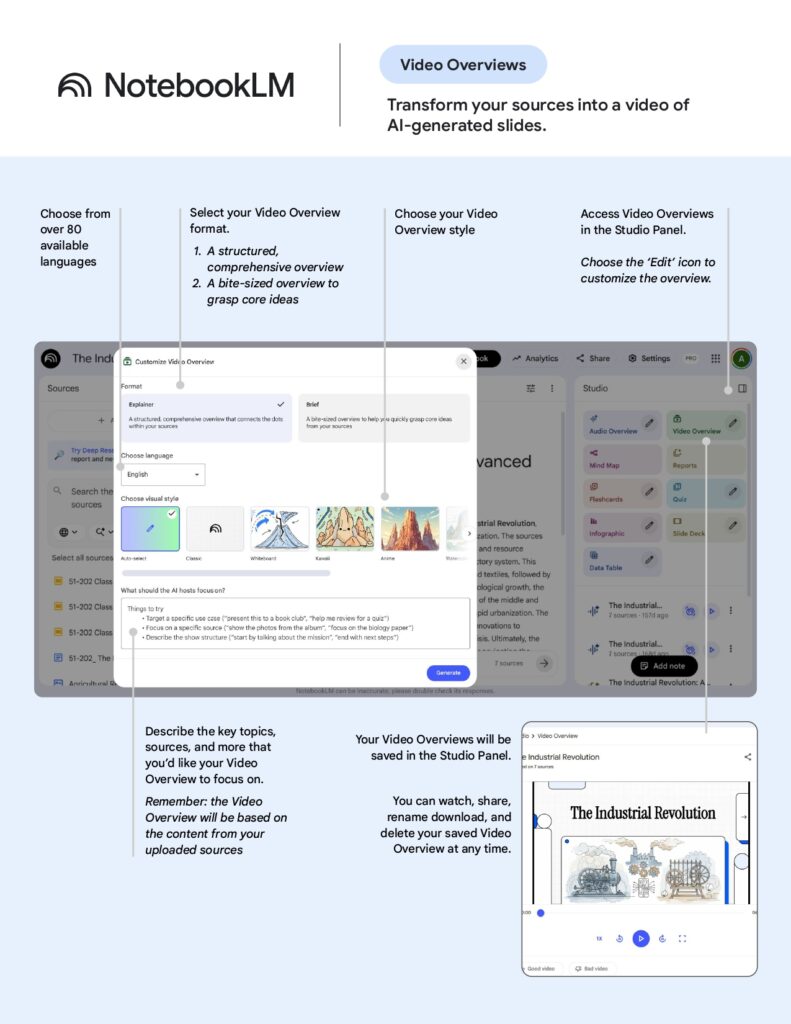
In addition to audio, NotebookLM can generate video overviews using AI-created slides. As a result, complex topics become easier to understand through visual explanations.
This feature is especially helpful for presentations and quick reviews.
3. Mind Map Feature in NotebookLM for Better Understanding
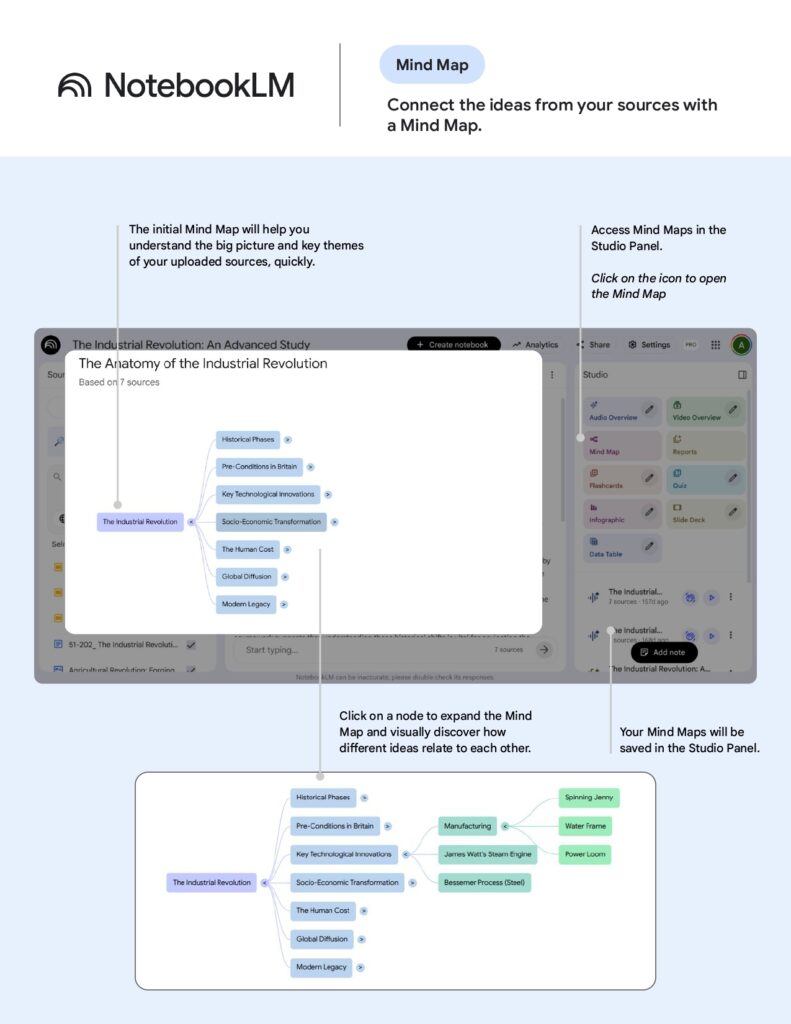
The mind map feature allows you to visualize connections between ideas. Instead of reading long text, you can quickly see the big picture and how concepts relate to each other.
Furthermore, you can expand each node to explore details more deeply.
4. Generate Reports and Blog Posts with NotebookLM AI Tool
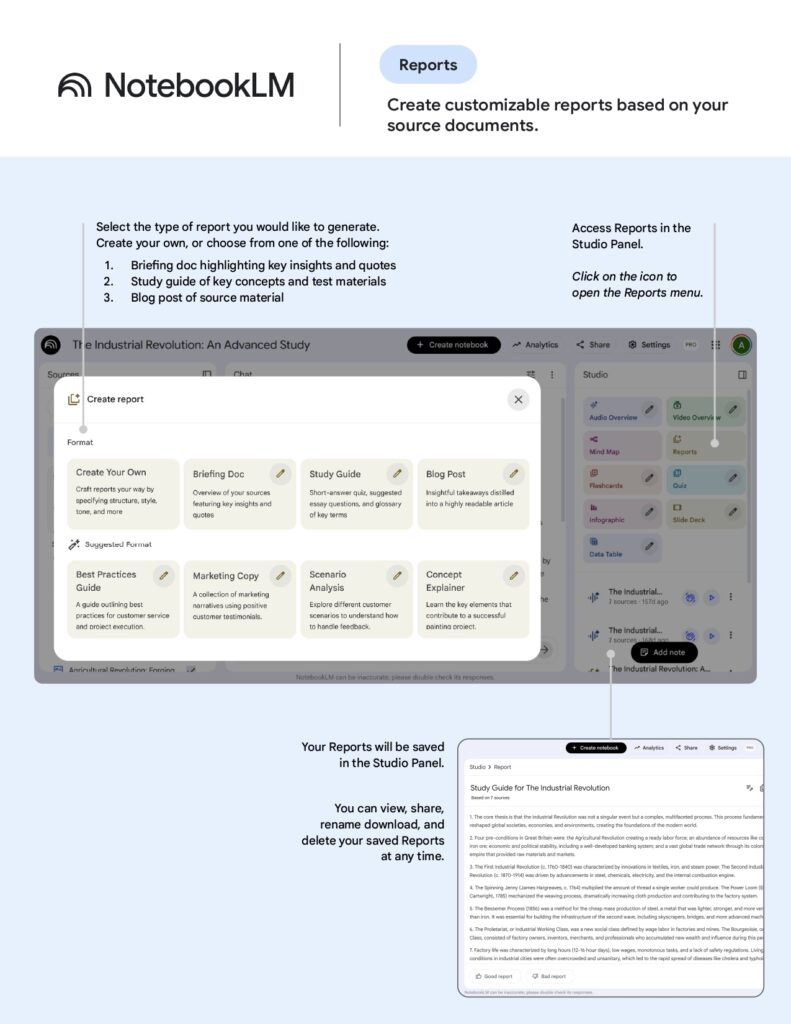
NotebookLM can also generate structured reports, including blog posts, study guides, and briefing documents.
Therefore, it is an excellent tool for content creators, students, and professionals who need to produce high-quality written material quickly
5. Flashcards
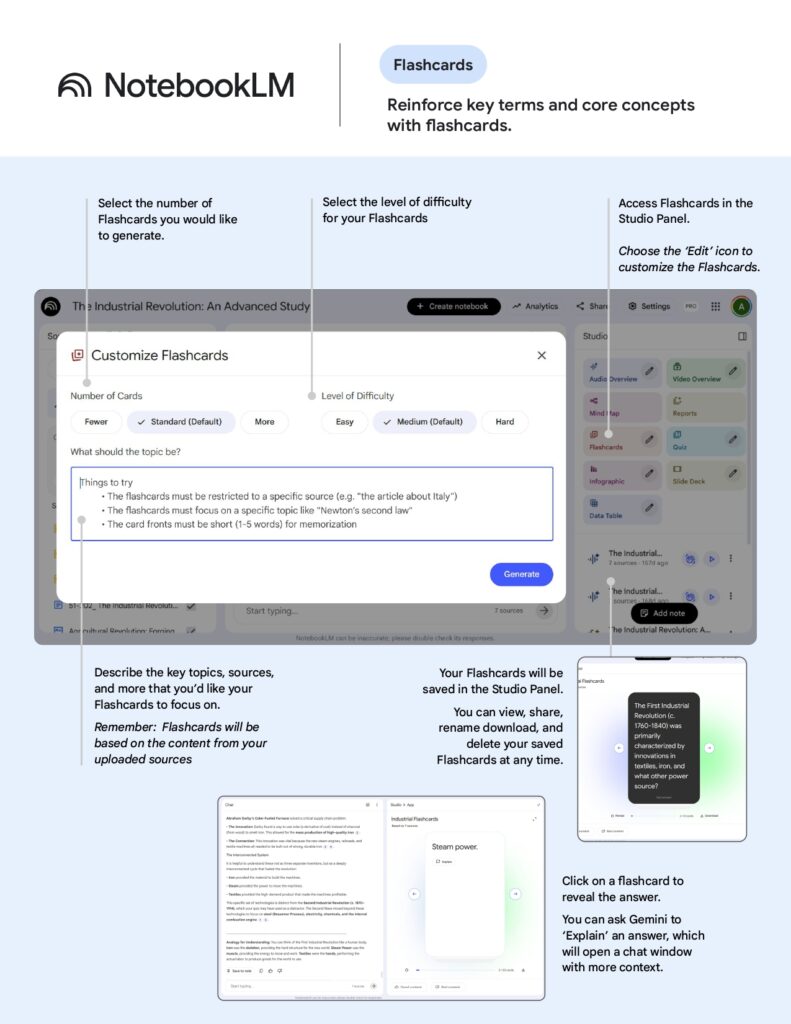
For revision purposes, the tool can create flashcards based on your materials. This helps reinforce key concepts and improve memory retention.
At the same time, you can adjust the difficulty level to match your learning stage.
6. Quizzes
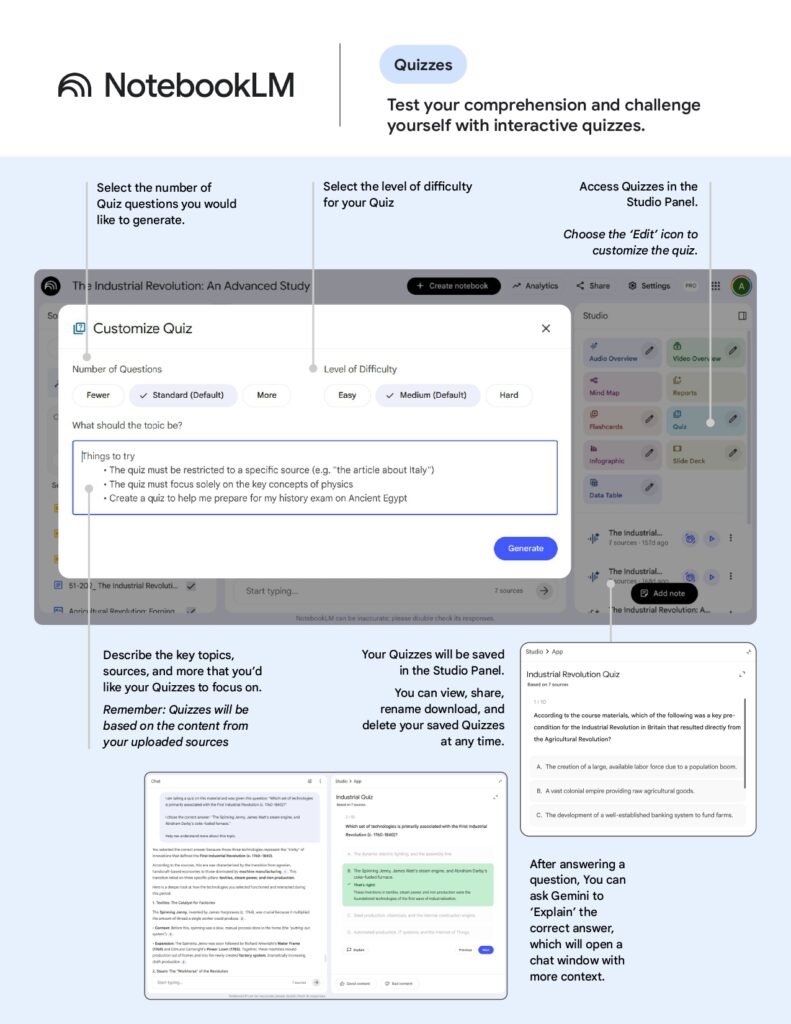
NotebookLM also allows you to generate quizzes to test your understanding. For instance, you can select the number of questions and difficulty level.
After that, you can review answers and even get explanations, which makes learning more interactive.
7. Infographics
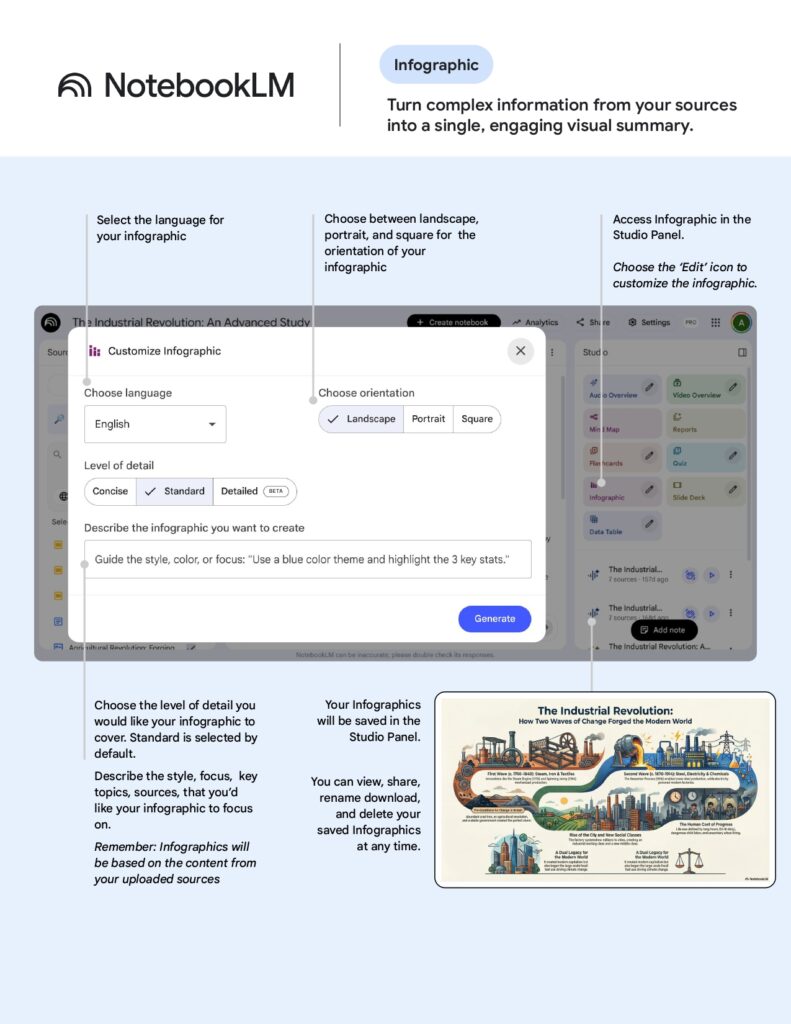
Another powerful feature is the ability to turn information into infographics. As a result, complex data becomes more engaging and easier to understand.
This is especially useful for presentations and social media content.
8. Slide Deck Generator
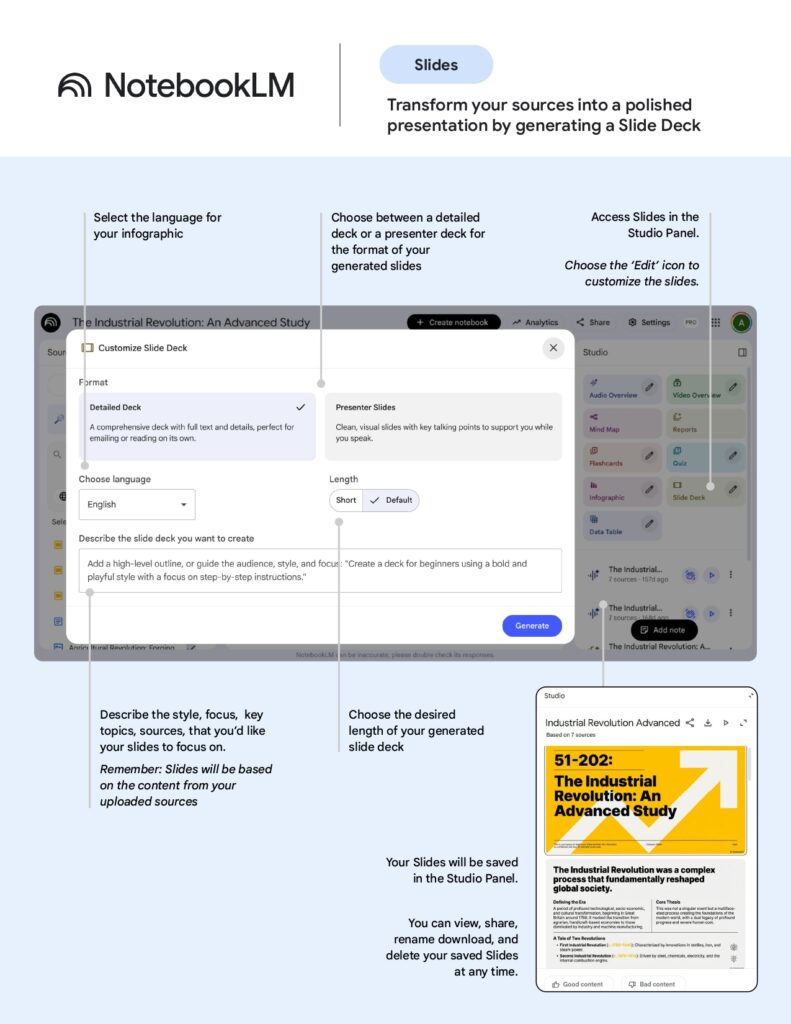
NotebookLM can automatically create slide decks from your content. Instead of building slides manually, you can generate a complete presentation in minutes.
Moreover, you can customize the style and structure according to your needs.
9. Data Table Feature in NotebookLM AI Tool
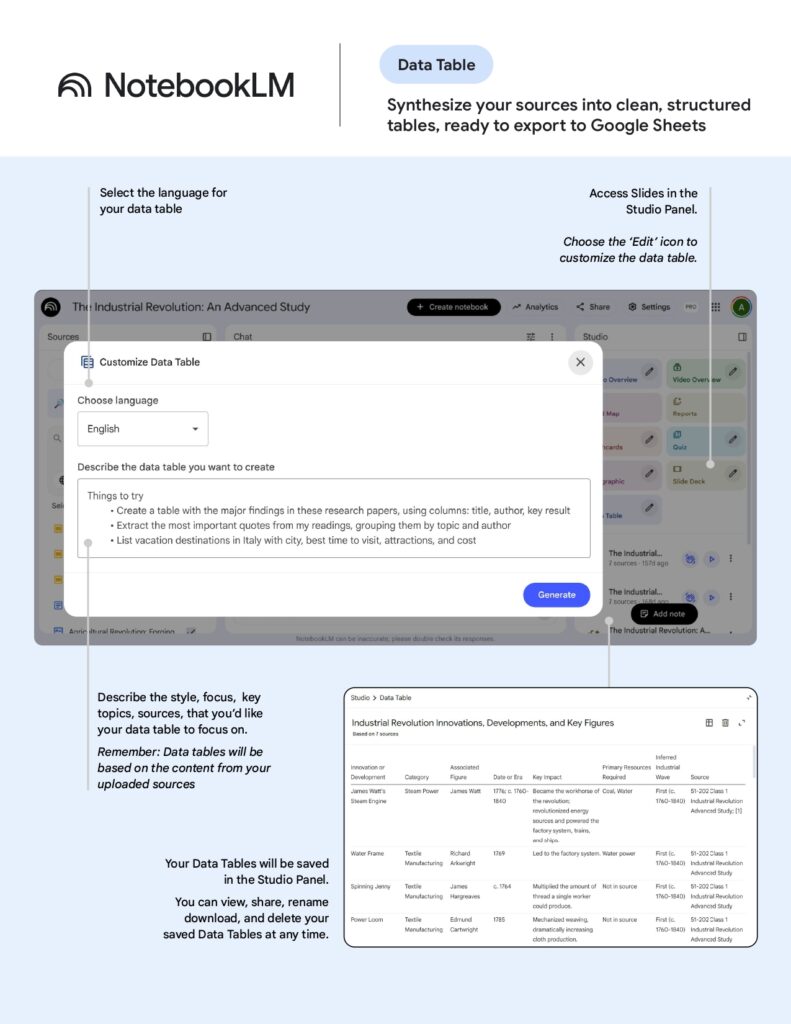
Finally, the data table feature helps organize information into structured formats. This makes it easier to analyze and export data for further use.
Why NotebookLM is Different from Other AI Tools
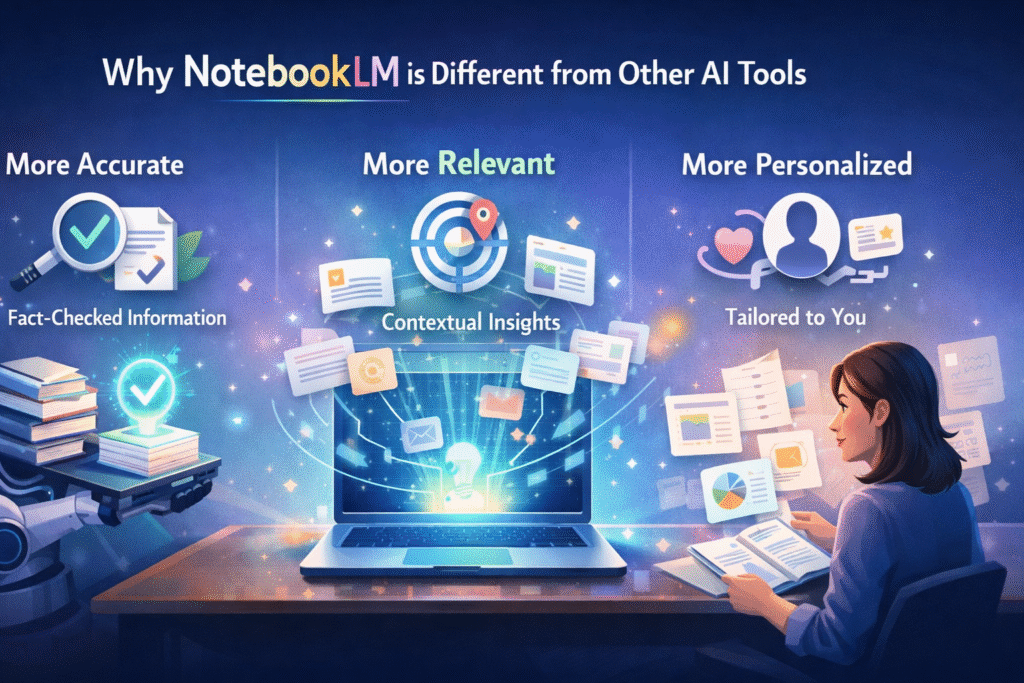
Most AI tools pull information from the internet.
NotebookLM, however, focuses only on your uploaded sources, making it:
✅ More accurate
✅ More relevant
✅ More personalized
This is especially useful for:
- Students working on assignments
- Trainers preparing materials
- Professionals analyzing reports
Best Use Cases for NotebookLM
For Students
- Summarize lecture notes
- Create flashcards and quizzes
- Understand difficult topics
For Trainers
- Generate training materials
- Create slides and handouts
- Build interactive learning content
For Professionals
- Analyze reports quickly
- Create summaries for meetings
- Turn documents into presentations
Final Thoughts
The NotebookLM AI tool is more than just a summarizer it’s a complete learning assistant. From generating reports to creating quizzes and visual content, it helps you save time while improving understanding.
If you regularly deal with large amounts of information, NotebookLM can significantly boost your productivity and learning efficiency.
Start exploring NotebookLM today and transform the way you learn, create, and understand information.
Sumber: https://www.threads.com/@muhdnor_official/post/DWp4U_XEmB1?xmt=AQF0C5wyj4BrUIgRLF8NsNMfAJpYMXmc5snP2NafsQmyHsuSNFFLcUHZs90TTHHCdDWKorM&slof=1