
Google Gemini AI: Your Personal AI Assistant for Learning & Work
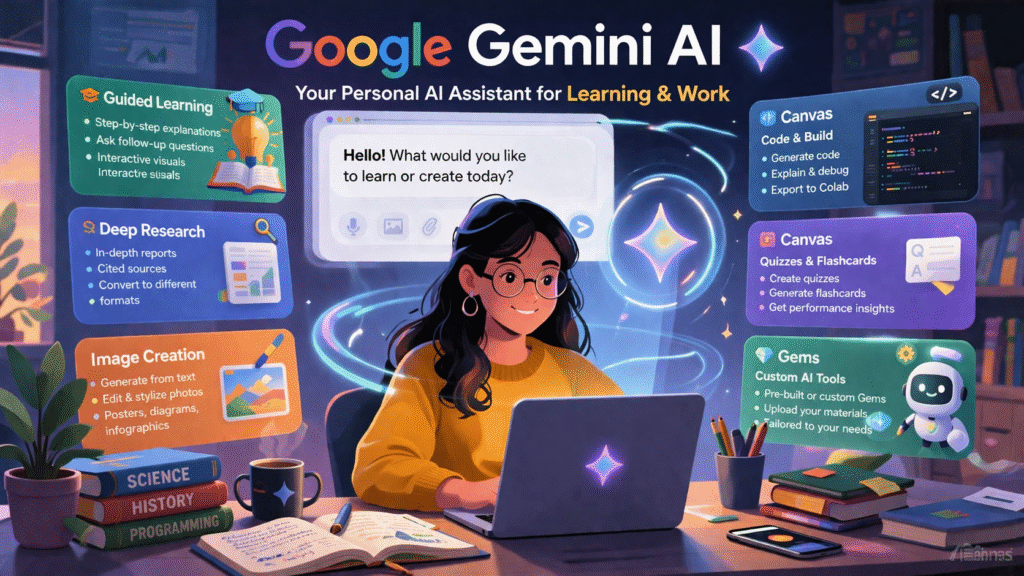
Artificial intelligence is no longer a buzzword it is a practical tool you can use every single day. Google Gemini is one of the most capable AI assistants available right now, and the best part? Getting started is completely free at gemini.google.com.
Whether you are a student trying to understand complex topics, a professional preparing research reports, or a creator building apps and visuals Gemini has a dedicated tool for you. This guide breaks down every major feature so you can start getting real value from it today.
What Is Google Gemini?
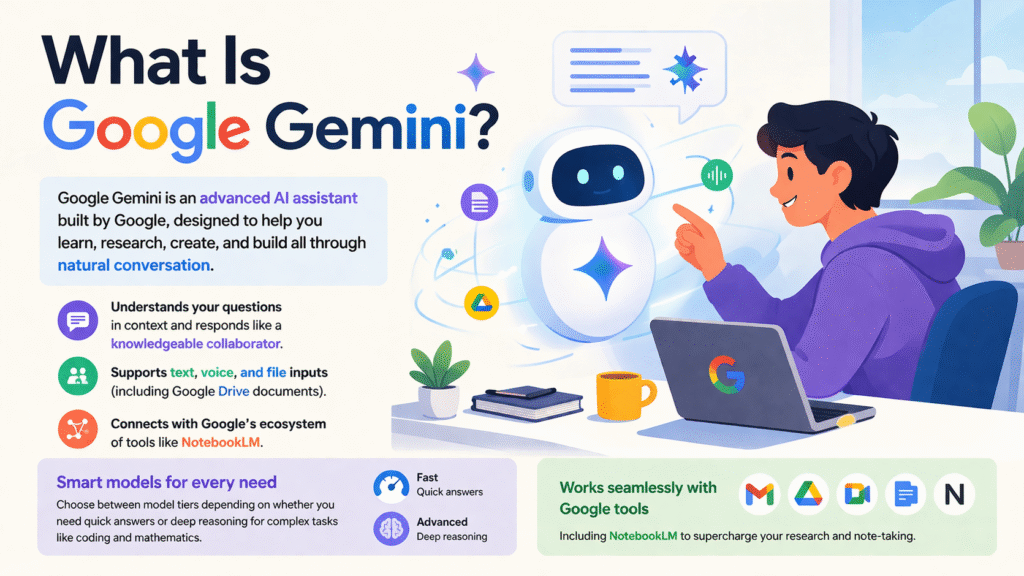
Google Gemini AI is an advanced AI assistant built by Google, designed to help you learn, research, create, and build all through natural conversation. Unlike a traditional search engine that returns a list of links, Gemini understands your question in context and responds like a knowledgeable collaborator.
It supports text, voice, and file inputs (including Google Drive documents), and it connects natively with Google’s ecosystem of tools like NotebookLM. You can toggle between different model tiers depending on whether you need quick answers or deep reasoning for complex tasks like coding and mathematics.
Getting Started: The Gemini Interface
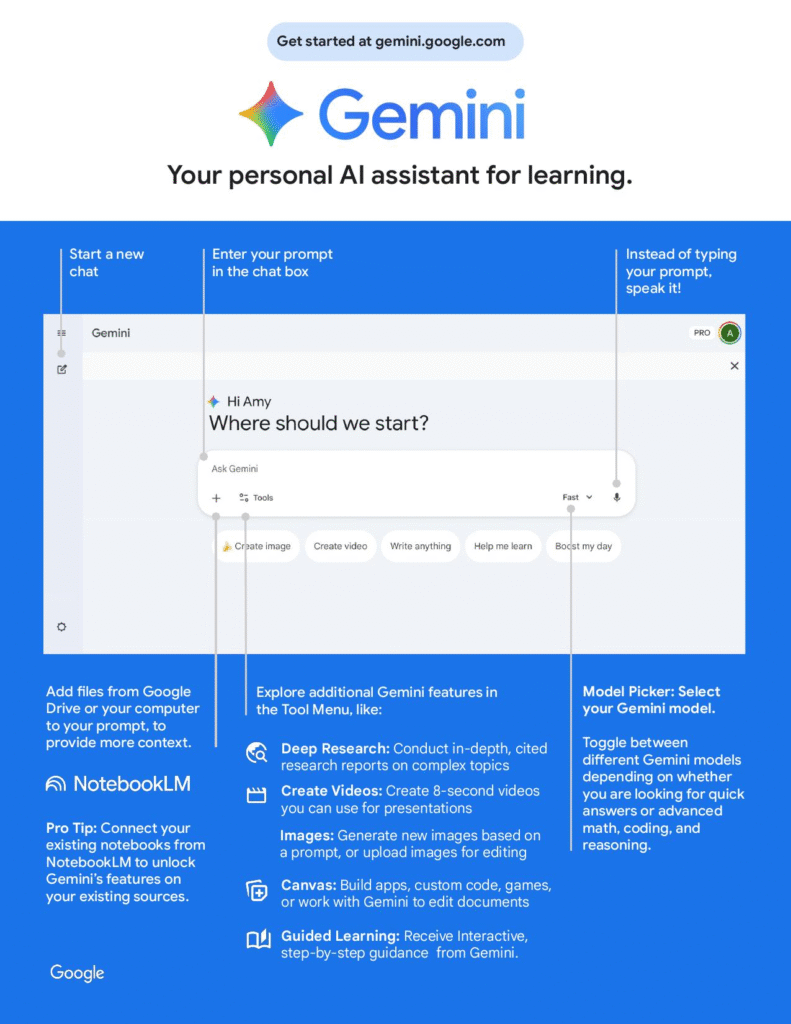
When you open Gemini, you are greeted with a clean chat interface. Here is a quick orientation of the key controls:
- Chat Box — Type your prompt here. You can also speak your prompt instead of typing.
- File Attachment — Add files from your computer or Google Drive to give Gemini more context.
- Model Picker — Switch between Gemini models for speed vs. advanced reasoning tasks.
- Tools Menu — Access special features: Deep Research, Canvas, Image generation, Guided Learning, and more.
Feature 1:Guided Learning: Your Personal Study Partner
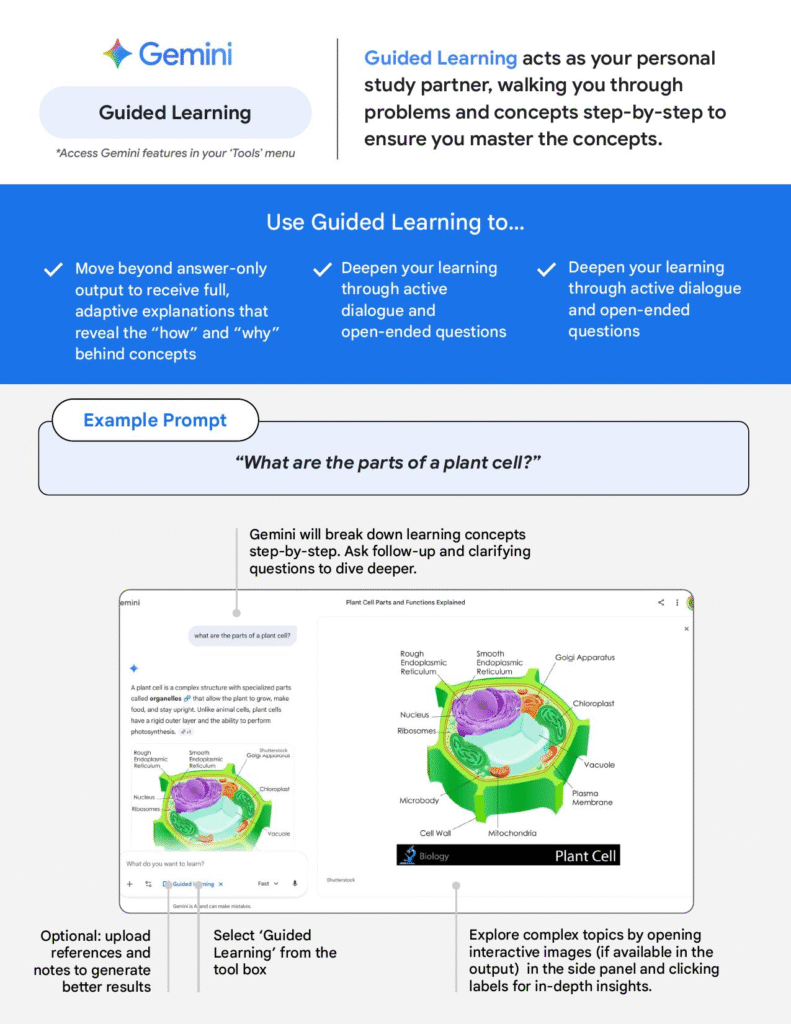
Guided Learning transforms Gemini from a simple question-answering tool into an interactive tutor. Instead of just giving you the answer, it walks you through the how and why behind any concept, step by step.
Best For: Students & Self-Learners
Activate it by selecting Guided Learning from the Tools menu. You can upload your class notes or reference materials to generate more tailored explanations.
- Move beyond surface-level answers to fully understand concepts
- Ask unlimited follow-up questions in an active dialogue
- Explore interactive images in the side panel for visual topics
- Ideal for science, history, mathematics, or any complex subject
Feature 2:Deep Research: AI-Powered Research Reports
Best For: Research, Assignments & Exam Prep
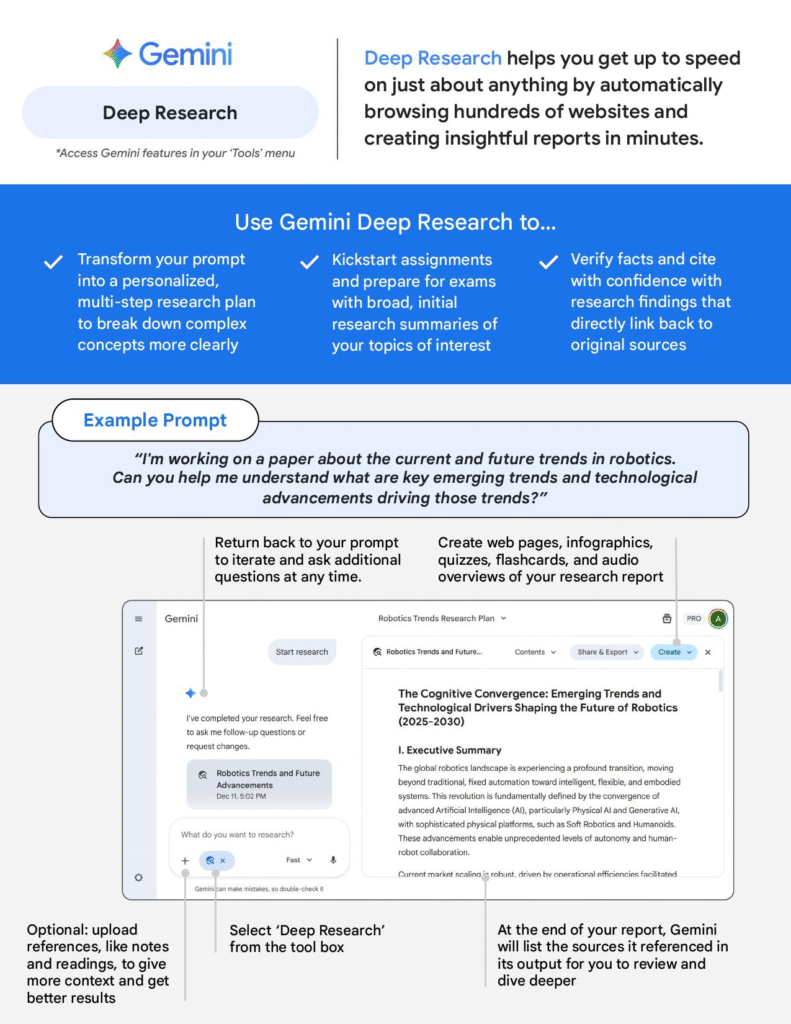
Select Deep Research from the Tools menu and enter your topic. Gemini builds a multi-step research plan before diving in.
- Generates in-depth reports with cited, clickable sources
- Great for kickstarting essays, term papers, or business research
- Converts your report into web pages, infographics, flashcards, or audio
- Upload your own notes to focus the research on your specific angle
Feature 3:Image Creation: Generate Visuals with a Prompt
Best For: Presentations, Infographics & Creative Projects
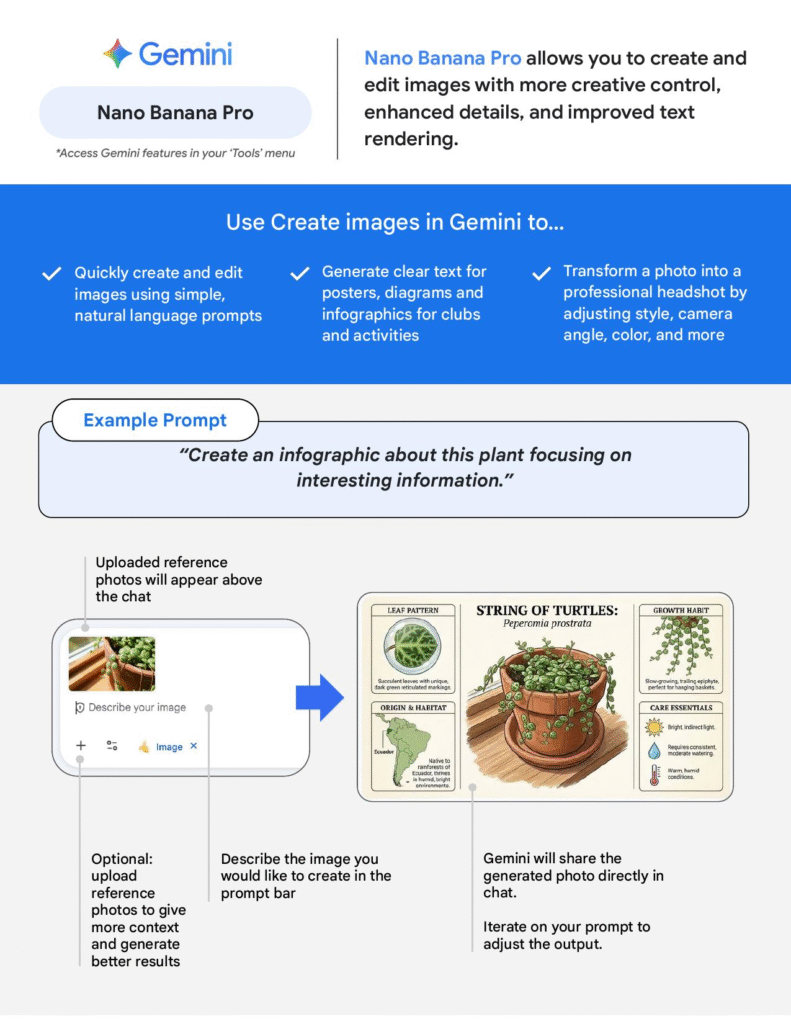
- Generate images from text descriptions instantly
- Upload a reference photo and ask Gemini to edit or stylise it
- Create posters, diagrams, and infographics with legible text
- Transform a selfie into a professional headshot by adjusting style and tone
Feature 4: Canvas Build,Code & Create Interactively
Canvas for Coding
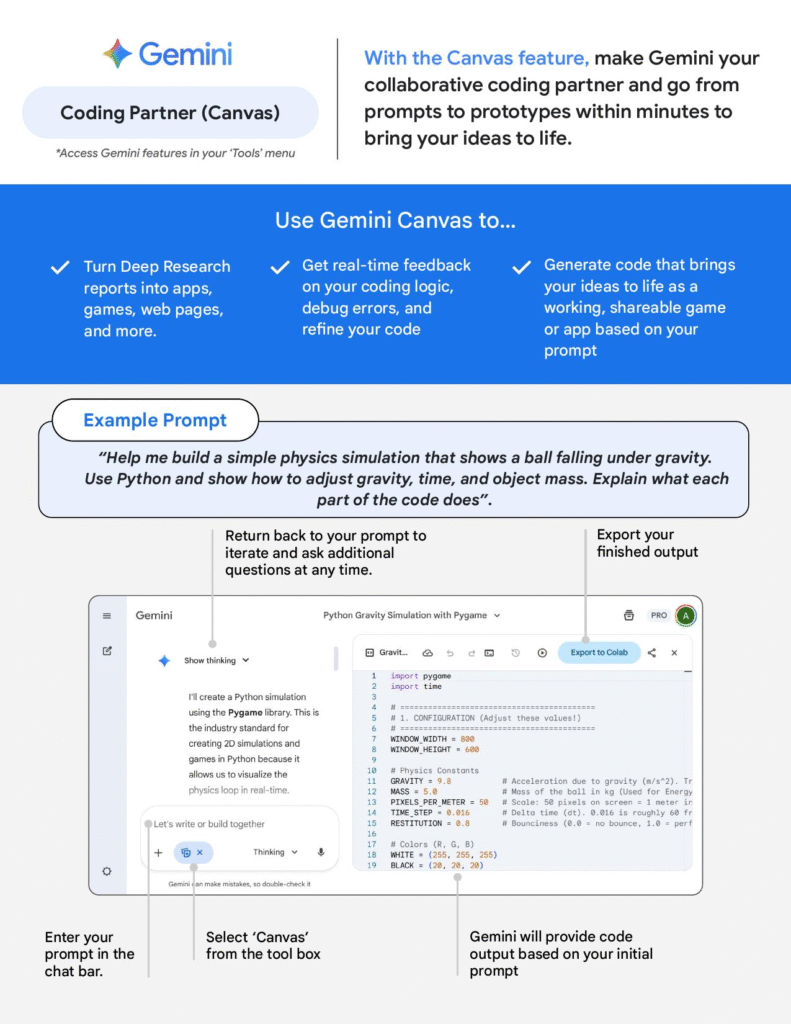
Describe what you want to build and Gemini writes the code, explains each section, and helps you debug in real time. You can export directly to Google Colab for Python projects.
- Go from prompt to working prototype in minutes
- Get line-by-line explanations of the generated code
- Debug errors and refine logic interactively
- Turn Deep Research reports into web apps or games
Canvas for Quizzes & Flashcards
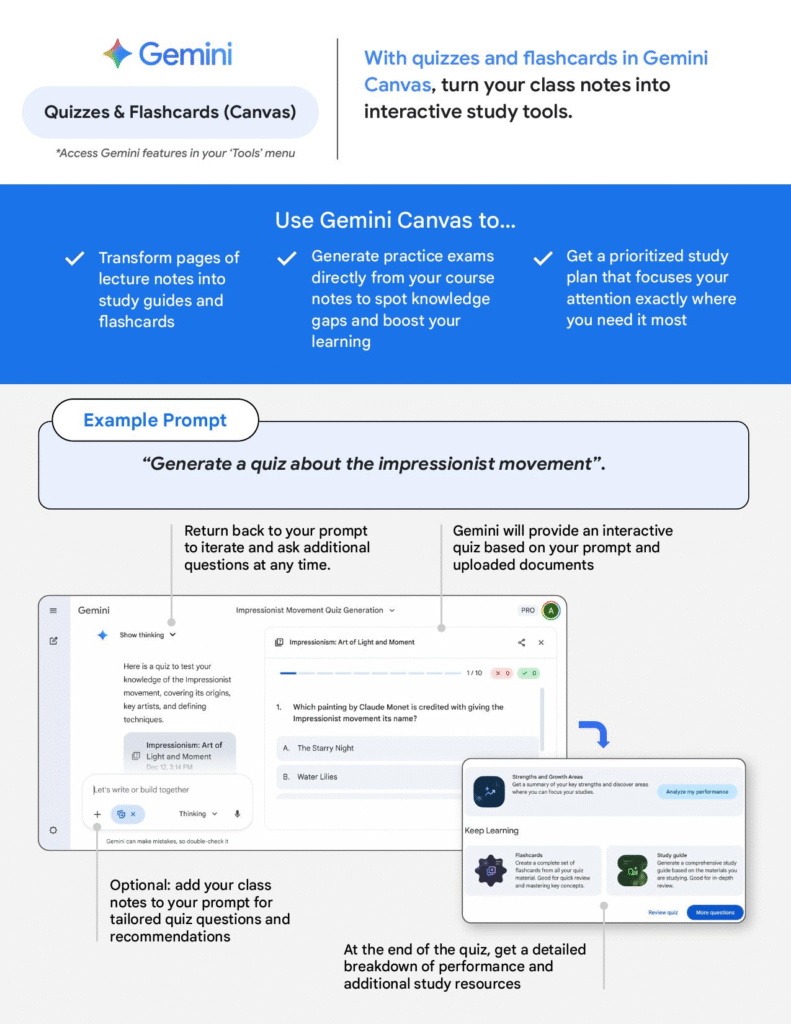
Paste your lecture notes into Canvas and ask Gemini to generate a full interactive quiz on the topic. At the end, you receive a detailed performance breakdown and personalised study recommendations.
- Turn any set of notes into an interactive quiz instantly
- Generate flashcard decks for quick revision
- Get a performance report that highlights your knowledge gaps
- Receive a prioritised study plan based on your results
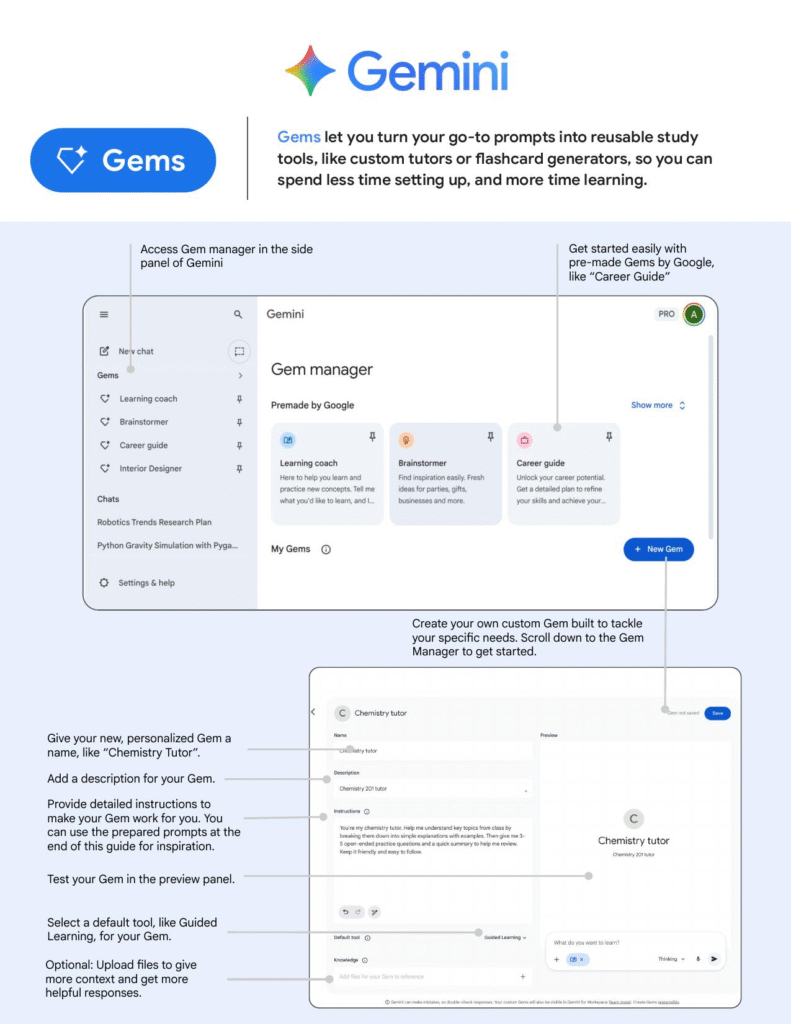
Feature 5: Gems Build Your Own Custom AI Tools
Best For: Recurring Tasks & Specialised Use Cases
Access the Gem Manager from the Gemini side panel to get started.
- Use pre-built Gems by Google: Learning Coach, Brainstormer, Career Guide
- Create a custom Gem (e.g., “Chemistry Tutor” or “BM Essay Editor”)
- Write detailed instructions so the Gem behaves exactly as you need
- Upload reference files so your Gem already knows your material
- Set a default tool (like Guided Learning) to activate automatically
- Test your Gem in the preview panel before saving
Conclusion: Empowering Your Learning Journey with Gemini
Gemini serves as a versatile personal AI assistant specifically designed to enhance learning and productivity.By using specialized tools like Guided Learning for step-by-step mastery, Deep Research for cited reports, and Canvas for coding and study aids, you can transform complex information into clear, actionable knowledge.Whether you are building custom Gems as private tutorsor generating visuals with Nano Banana Pro , Gemini provides a collaborative environment to help you achieve your educational goals faster