
Master Google Gemini Like a Pro: From Beginner to Advanced Productivity
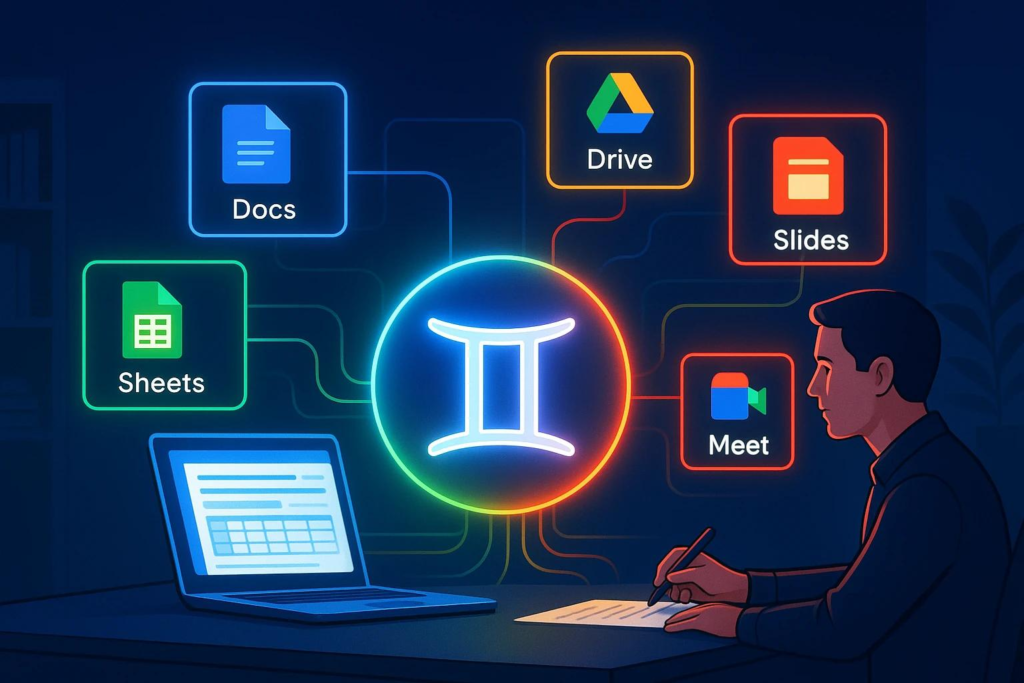
Artificial Intelligence is no longer just about asking simple questions. Today, Google Gemini can help you write emails, summarize meetings, create presentations, generate images, and even automate repetitive tasks, making everyday work faster and more efficient.
One of the most powerful AI tools available today is Google Gemini. Since it is deeply integrated with Google Workspace, Gemini can work alongside Gmail, Google Drive, Google Docs, Google Sheets, Google Meet, and many other Google services that millions of people already use every day.
In this guide, we’ll explore how you can use AI more effectively by following a three-level learning journey—from beginner to advanced—to unlock its full potential and improve your everyday productivity.
Level 1: Getting Started with Google Gemini
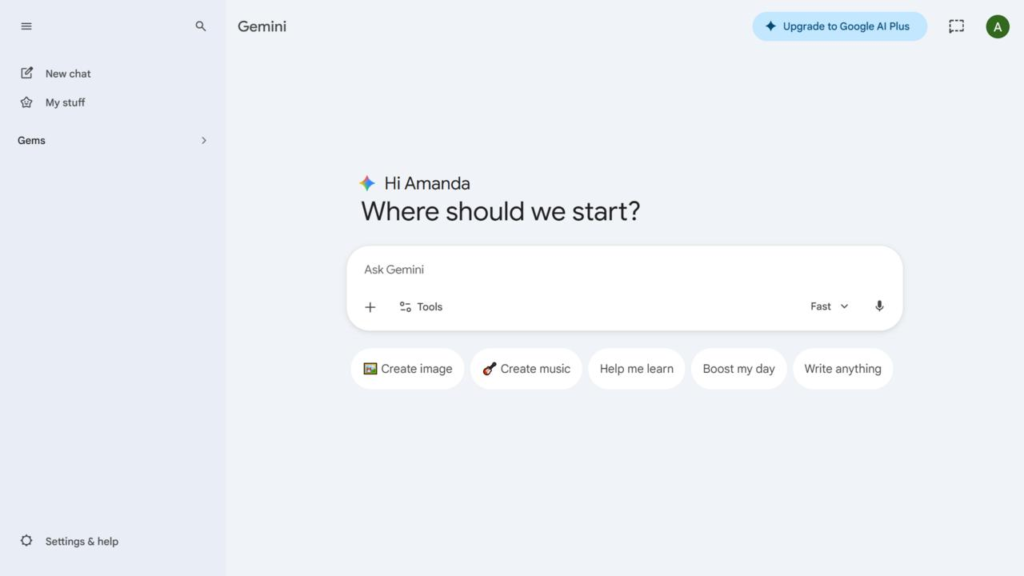
The first step is understanding how it can simplify everyday tasks.
Instead of only asking questions, Gemini allows you to upload files, images, videos, and documents to receive more meaningful responses.
Summarize Documents in Seconds with Gemini
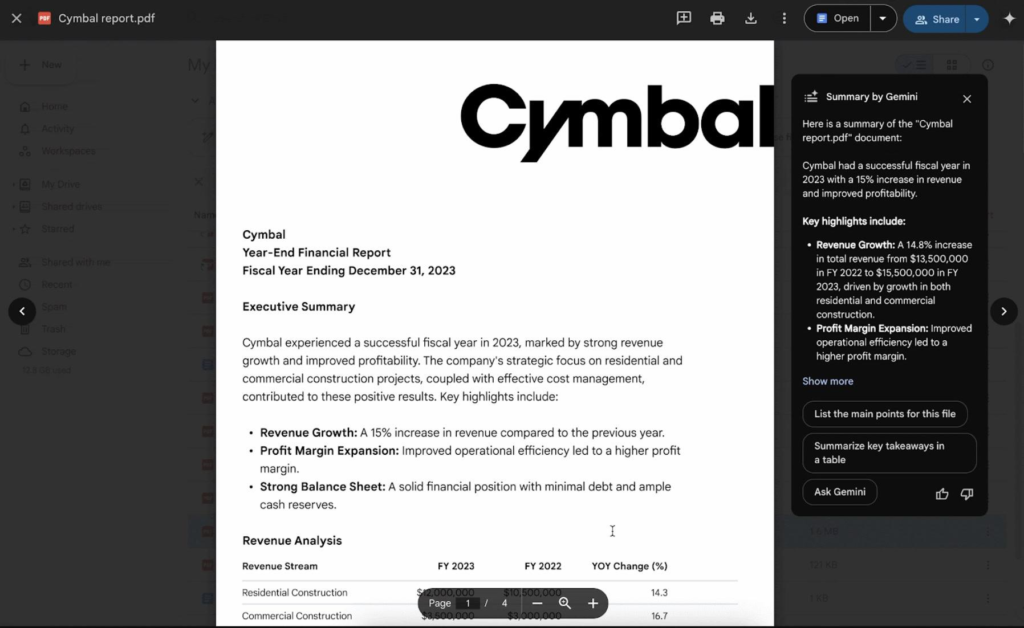
One of Gemini’s most practical features is its ability to summarize lengthy documents.
Whether you have a project proposal, meeting notes, company policy, or research paper stored in Google Drive, the AI assistant can quickly analyze the content and highlight the key points, saving you valuable reading time.
This is especially useful for professionals who regularly deal with large amounts of information.
Use Gemini OCR to Extract Information from Images

Gemini also supports Optical Character Recognition (OCR), allowing it to understand text from images.
Simply upload a photo of:
- Receipts
- Handwritten notes
- Printed documents
- Mileage logs
AI can extract the information and even organize it into a structured format, reducing manual data entry.
Practice Conversations with Gemini Live
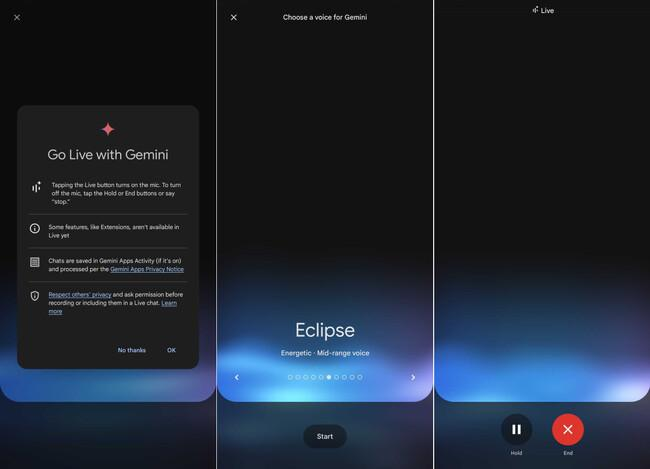
Learning becomes more interactive with Gemini Live.
Instead of typing prompts, you can have real-time voice conversations with Gemini to practice:
- Job interviews
- Sales discovery calls
- Public speaking
- Language learning
It feels like having a personal coach available whenever you need one.
Analyze Videos for Feedback
Gemini can also analyze uploaded videos.
For example, you could upload:
- A golf swing
- A presentation rehearsal
- A workout session
- A product demonstration
The AI tool will review the video and provide suggestions for improvement, making it a useful learning companion.
Gemini vs. NotebookLM
Many people wonder whether they should use Gemini or NotebookLM.
The answer is both.
| Google Gemini | NotebookLM |
|---|---|
| Fast responses | Source-grounded answers |
| Broad knowledge | Works only with uploaded sources |
| Great for productivity | Great for research and studying |
| Integrates across Google Workspace | Ideal for deep document analysis |
Gemini is designed for speed and versatility, while NotebookLM focuses on accuracy by staying grounded in your uploaded materials.
Using both together gives you the best balance between productivity and reliable research.
Level 2: Unlocking Smarter Productivity
Once you’re comfortable with the basics, it’s time to explore how Gemini works directly inside Google Workspace.
This is where Gemini begins handling more complex tasks.
Smarter Gmail and Google Meet
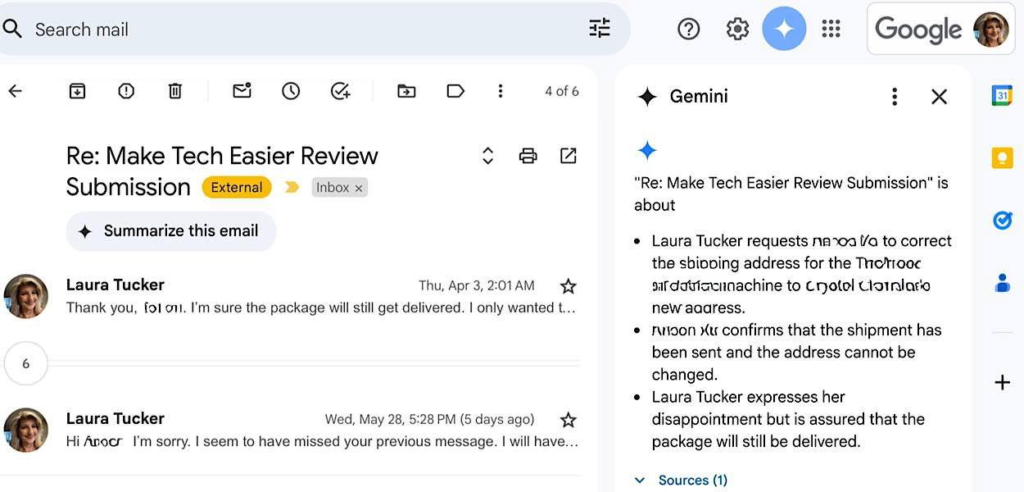
Gemini helps reduce information overload by automatically summarizing long email conversations in Gmail.
Instead of reading dozens of replies, you can quickly understand:
- The discussion
- Important decisions
- Outstanding action items
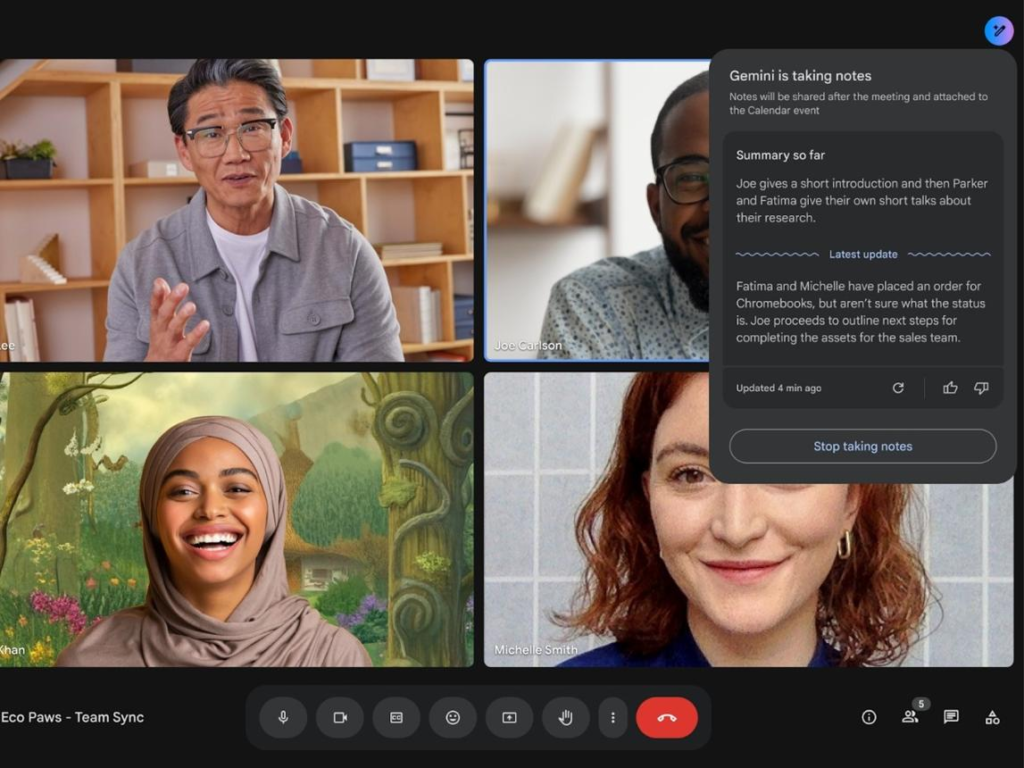
During Google Meet sessions, Gemini can:
- Record meeting transcripts
- Capture discussion points
- Generate meeting summaries
- List action items
- Highlight key decisions
These summaries can then be saved directly into Google Docs, making follow-up much easier.
Build Spreadsheets and Presentations Faster
Gemini can also assist inside Google Sheets and Google Slides.
For example, it can:
- Generate spreadsheet tables
- Suggest formulas
- Organize financial data
- Build presentation outlines
- Create meeting slides
Instead of starting with a blank page, AI provides a strong first draft that you can easily refine.
Research Smarter with Deep Research
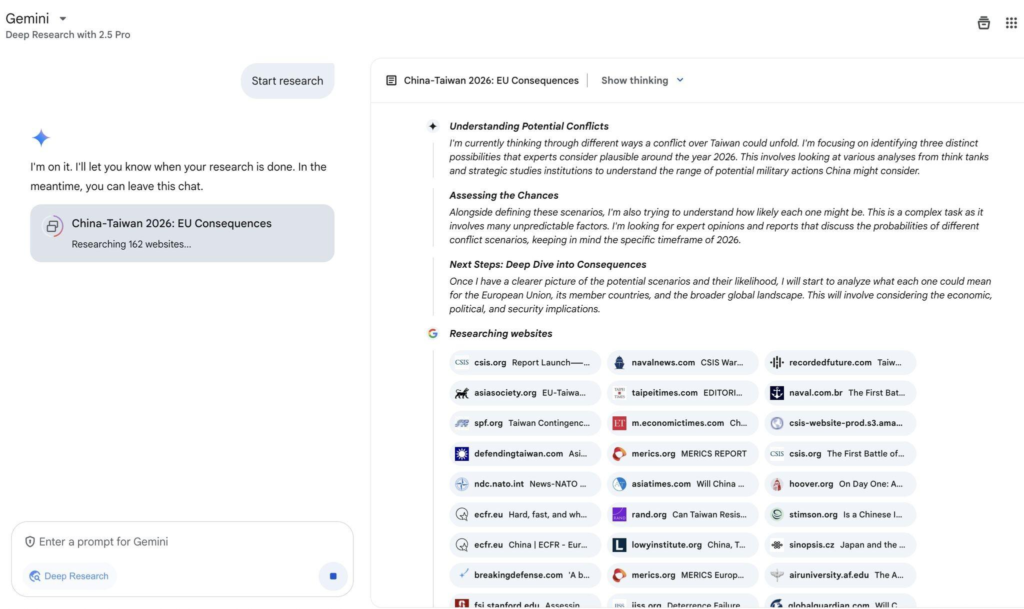
When working on complex topics, Deep Research can create detailed research reports based on your prompts.
Rather than returning a simple answer, it can generate:
- Comprehensive research summaries
- Structured reports
- Research plans
- Topic breakdowns
This makes it valuable for business analysis, market research, academic work, and strategic planning.
Turn Ideas into Visuals with Canvas
After gathering information, Gemini’s Canvas helps transform it into visual content.
Examples include:
- Infographics
- Project summaries
- Interactive content calendars
- Visual planning boards
This makes sharing information much more engaging and easier to understand.
Learn More Effectively with Guided Learning
Instead of simply displaying large blocks of text, Guided Learning encourages active participation.
Gemini asks questions, checks your understanding, and reinforces important concepts, making it useful for students, trainers, and professionals learning new skills.
Generate Creative Content
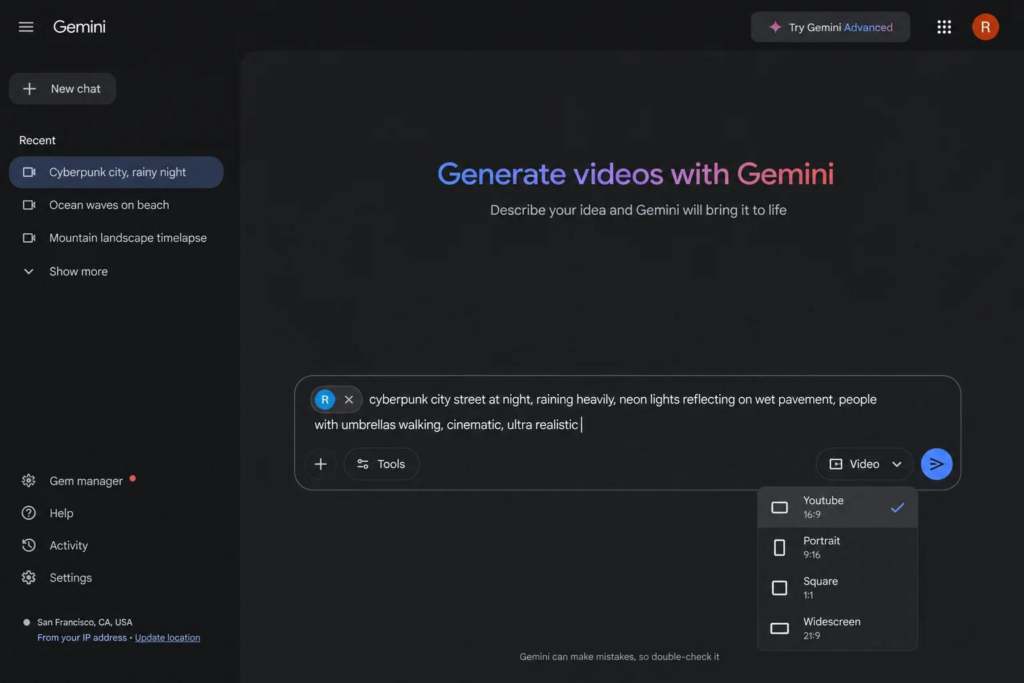
Gemini also includes several AI-powered creative tools.
Users can generate:
- Images
- Videos
- Music
These features can support marketing campaigns, presentation design, brainstorming sessions, and creative projects without needing multiple separate AI tools.
Level 3: Automating Your Work with Gemini
The final stage is where Gemini becomes more than just an assistant—it becomes an active collaborator.
Instead of waiting for instructions every time, Gemini can perform recurring tasks automatically.
Create Custom AI Experts with Gems
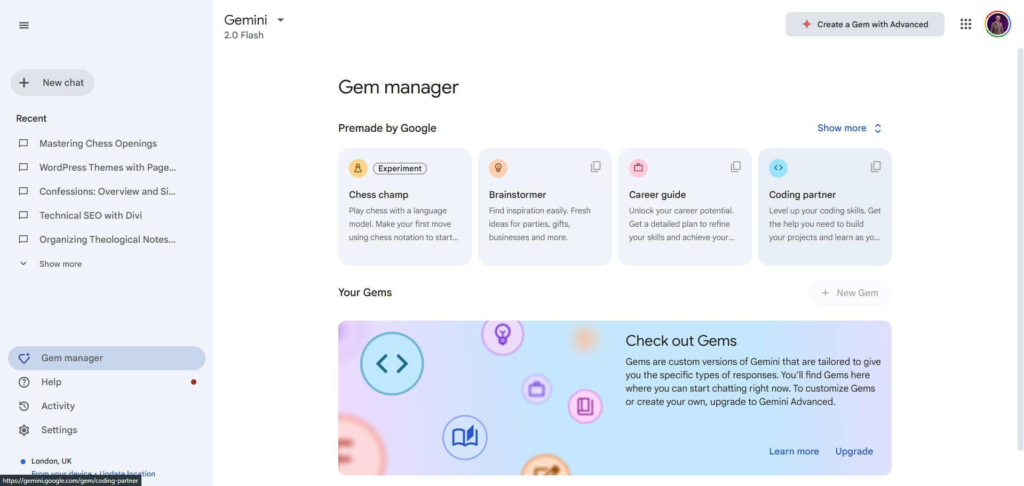
Gems allow you to build your own specialized AI assistants.
Each Gem can be trained with:
- Writing style
- Formatting rules
- Brand guidelines
- Standard workflows
- Project instructions
For example, a marketing team could create a Gem that always produces campaign briefs using the same company template.
This ensures consistency while saving time.
Schedule Recurring Tasks
Gemini can also perform scheduled actions automatically.
For example, you can ask Gemini to deliver:
- Weekly industry news
- Market trend updates
- Project status summaries
- Regular productivity reports
These updates appear automatically, helping you stay informed without needing to remember recurring prompts
Automate Workflows Across Google Workspace
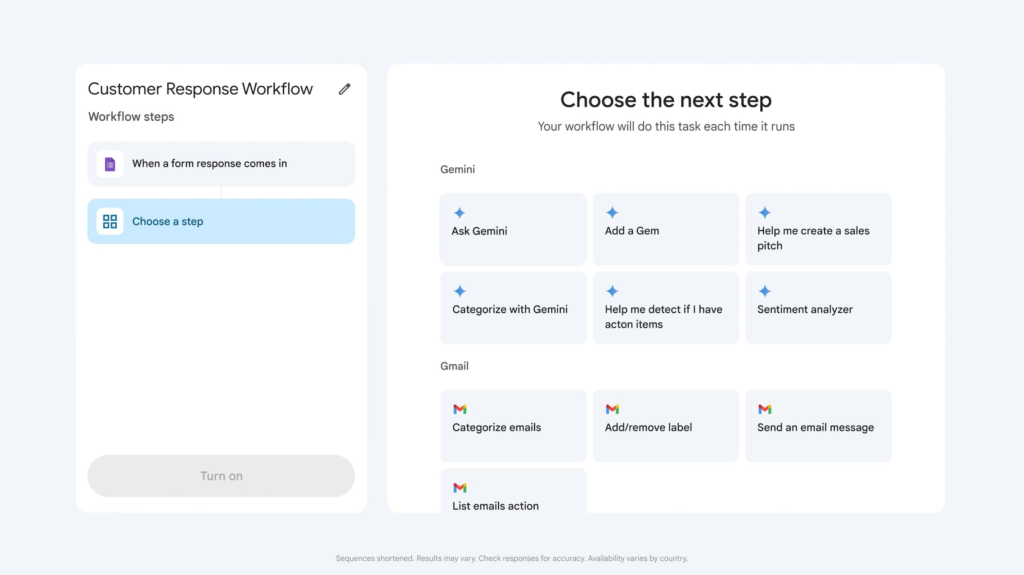
For more advanced use cases, Google Workspace Studio enables no-code workflow automation across multiple Google applications.
A practical example could look like this:
- A client sends an email.
- Gemini reads the email.
- It identifies important action items.
- Tasks are automatically created in Google Tasks.
- The team can begin work immediately.
By connecting different Google Workspace applications, businesses can reduce repetitive manual work and improve operational efficiency.
Final Thoughts
Google Gemini has evolved into far more than a chatbot. Its integration across Google Workspace allows users to manage information, create content, collaborate more effectively, and automate repetitive tasks—all within a familiar ecosystem.
Whether you’re just starting with document summarization or building custom AI agents with Gems and workflow automation, AI tools offer powerful features that can significantly improve the way you work.
The key is to progress step by step. Start with the fundamentals, explore the productivity features inside Google Workspace, and gradually adopt automation as your workflows become more advanced.
By mastering these three levels, you’ll be able to use Google Gemini not just as an AI assistant, but as a powerful productivity partner for both personal and professional work.
If you found this article helpful, feel free to share it with your colleagues, friends, or anyone who wants to get more out of Google Gemini. Your support helps more people discover practical ways to work smarter with AI.