
Apply HRD Corp Grant via eTRiS: Complete Step-by-Step Guide
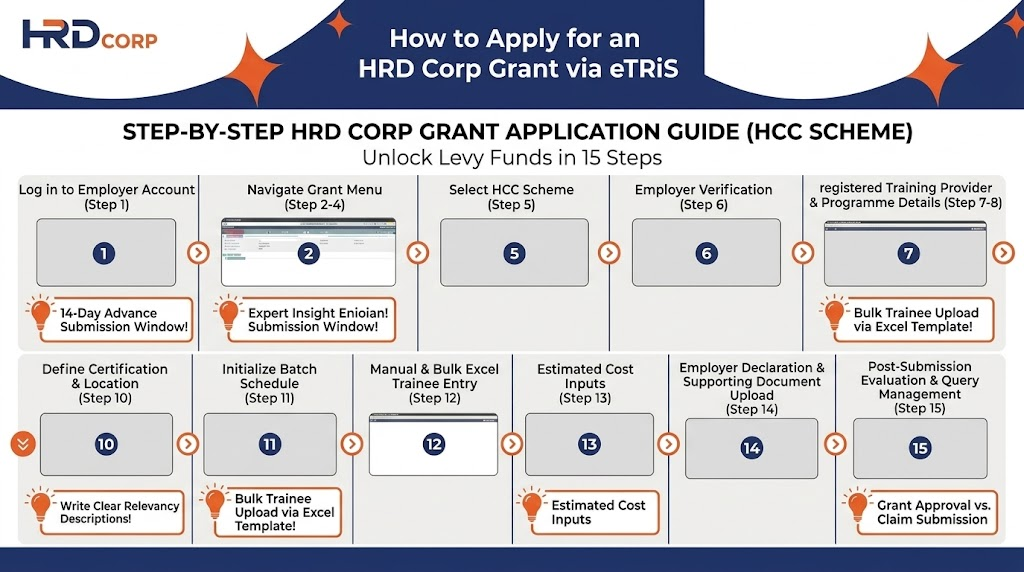
Applying for a training grant under the HRD Corp Claimable Courses (HCC Scheme) is now simpler and more streamlined! For employers looking to fund employee training programs using their HRD Corp levy, here is a complete step-by-step guide on how to Apply HRD Corp Grant via eTRiS from start to submission.
TERMS AND CONDITIONS
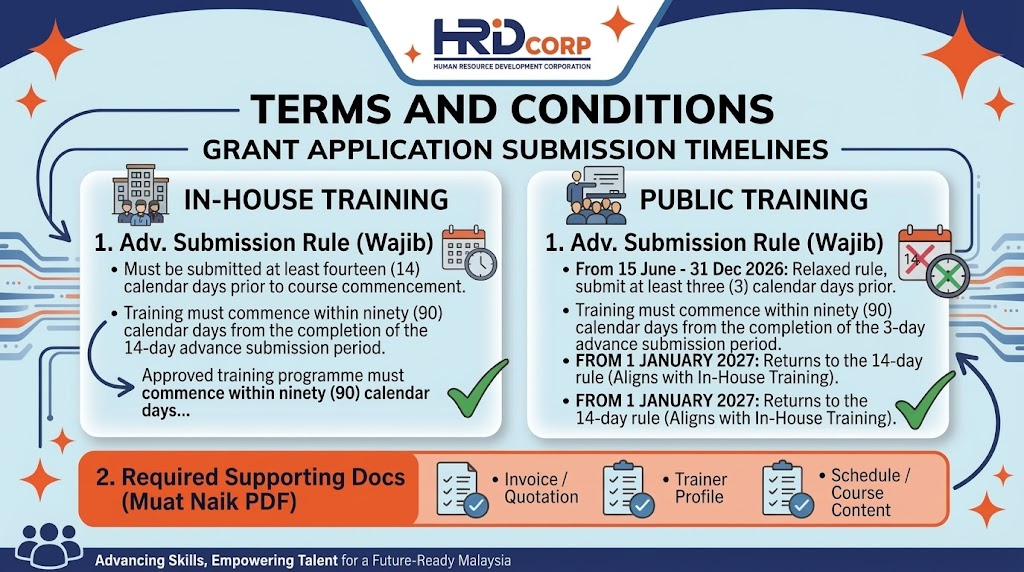
Before starting your application, please take note of the required submission timelines:
In-House Training:
Grant applications must be submitted at least 14 calendar days before the training starts.
Approved training programs must commence within 90 calendar days after completing the 14-day advance submission period.
Public Training:
Grant applications must be submitted at least 3 calendar days before the training starts (applicable from 15 June to 31 December 2026).
Approved training programs must commence within 90 calendar days after completing the 3-day advance submission period.
Note: Effective 1 January 2027, the requirement for public training reverts to the 14-day rule, aligning with in-house training.
Required Supporting Documents:
Invoice / Quotation
Trainer Profile
Schedule / Course Content
STEP-BY-STEP APPLICATION GUIDE IN eTRIS
Step 1: Login & Navigation
- Log in to your Employer’s eTRiS account (
etris.hrdf.com.my). - Click the Application icon on the dashboard.

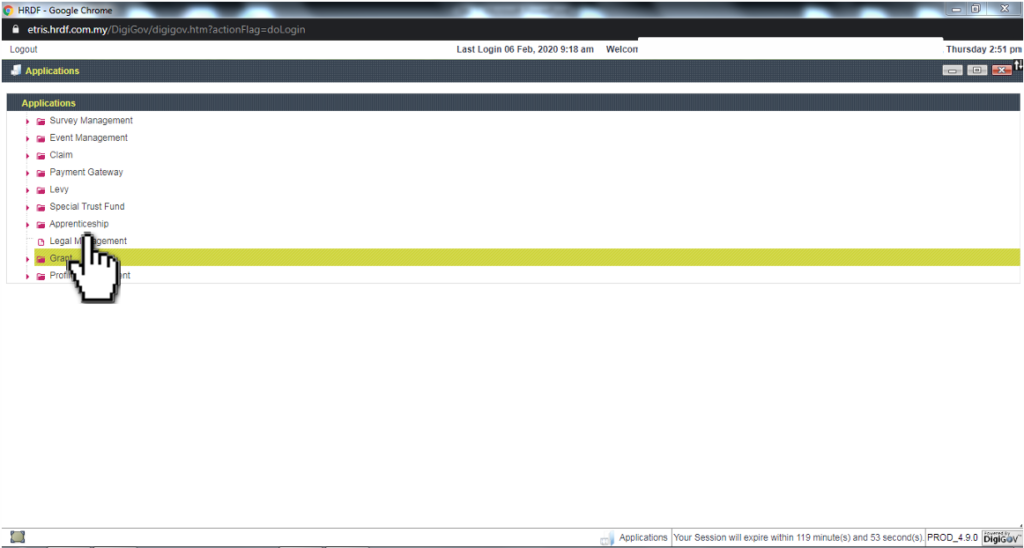
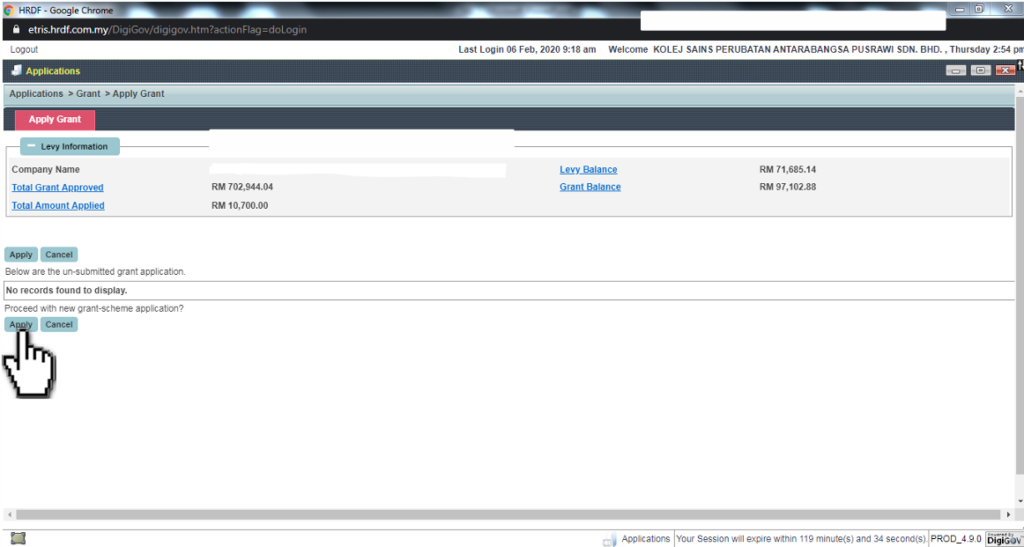
- On the left-hand menu under Work List, click Grant.
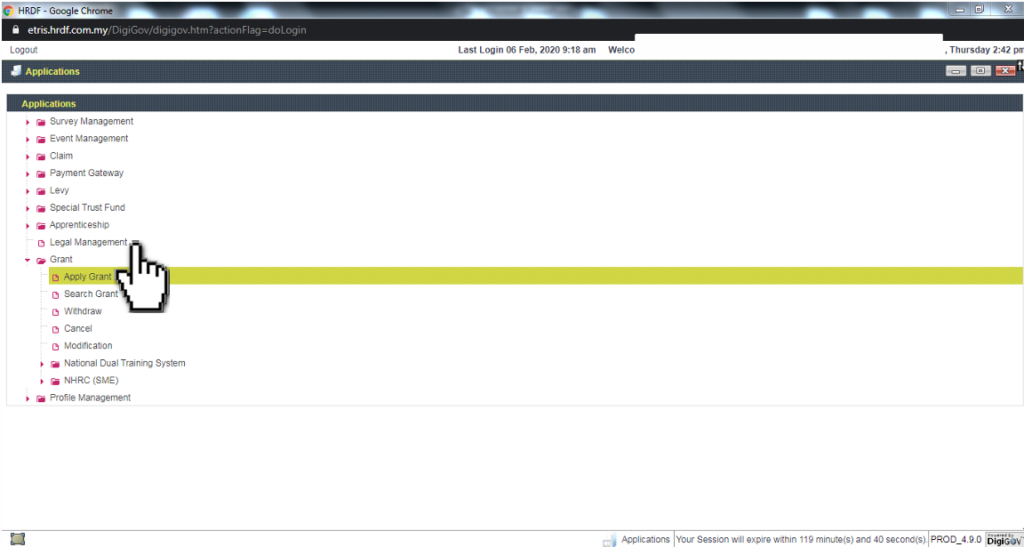
- Click Apply Grant on the left-hand menu under Work List.
- Click the Apply button.
Step 2: Scheme Selection & Officer Assignment
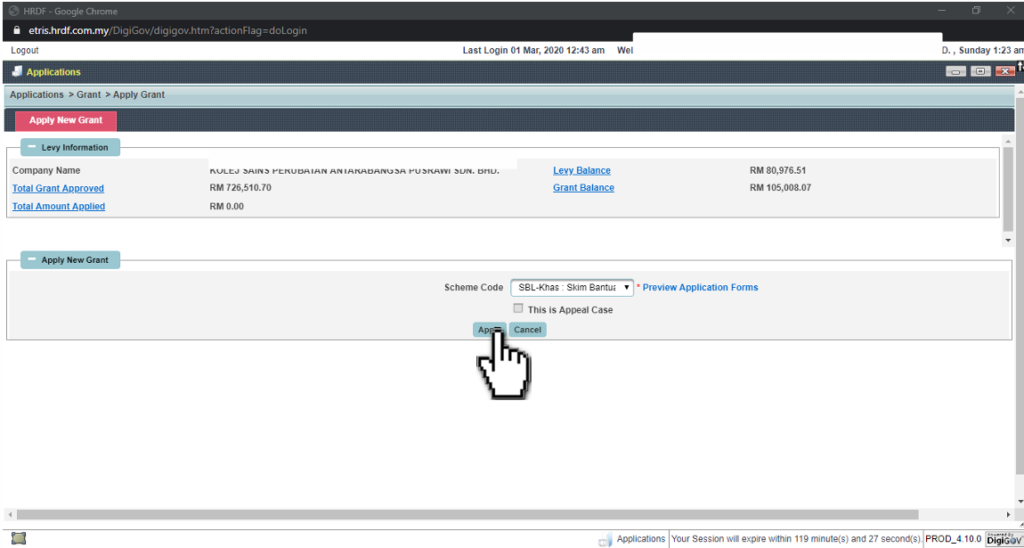
- Click the Scheme Code and select HRD Corp Claimable Courses: Skim Bantuan Latihan Khas (SBL-Khas), then click Apply.
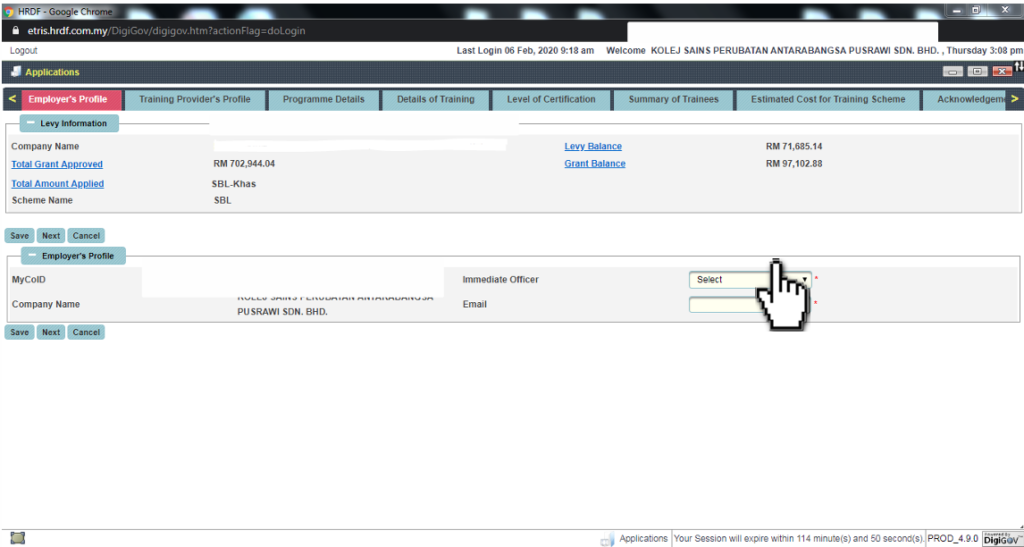
- Under Employer’s Profile, select your Immediate Officer from the dropdown menu and click Next.
Step 3: Training Provider & Course Details
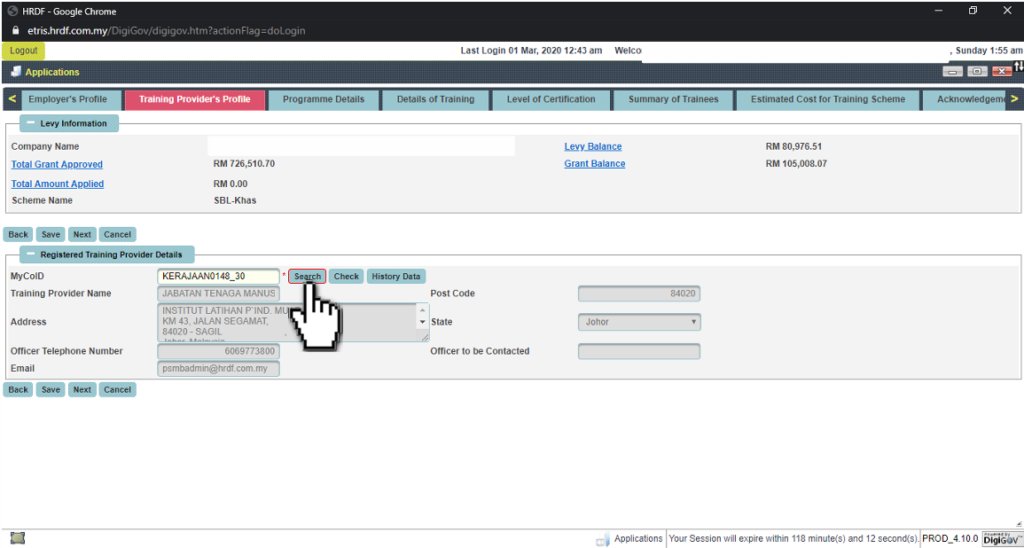
- Search and select the registered Training Provider details, then click Next.
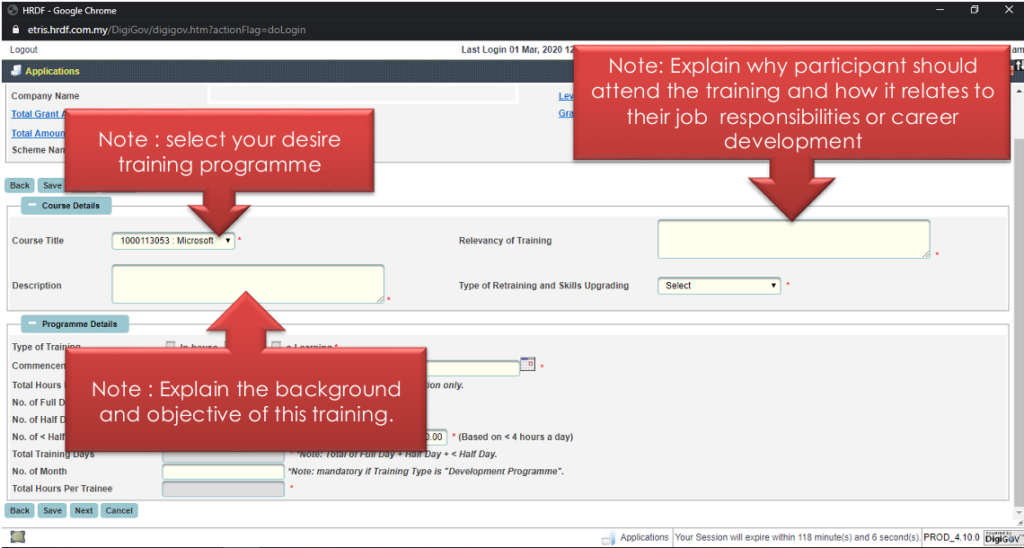
- Select your desired training programme from the list and enter the required details:
Course Title & Description: Explain the background and objectives of the training.
Relevancy of Training: Explain why participants should attend the training and how it relates to their job responsibilities or career development.
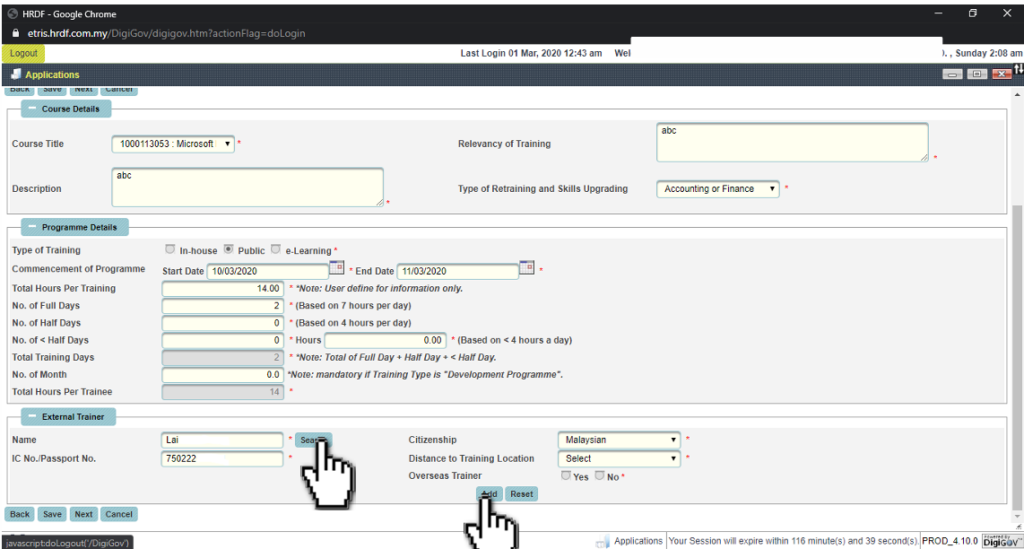
- Under External Trainer, select the trainer from the training provider list, click Add, and click Next.
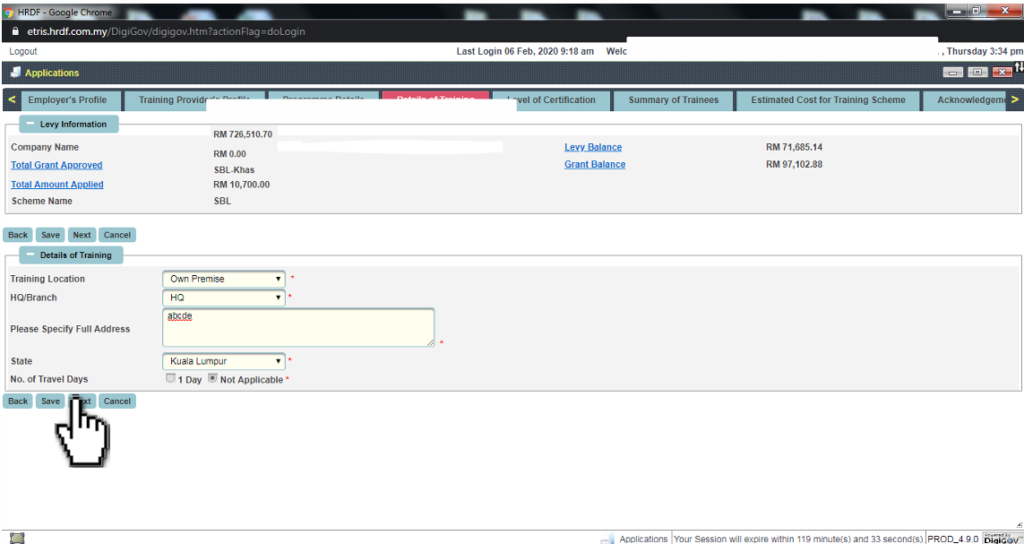
- Key in the appropriate Training Location and full address details, then click Next.
Step 4: Level of Certification & Trainee Details
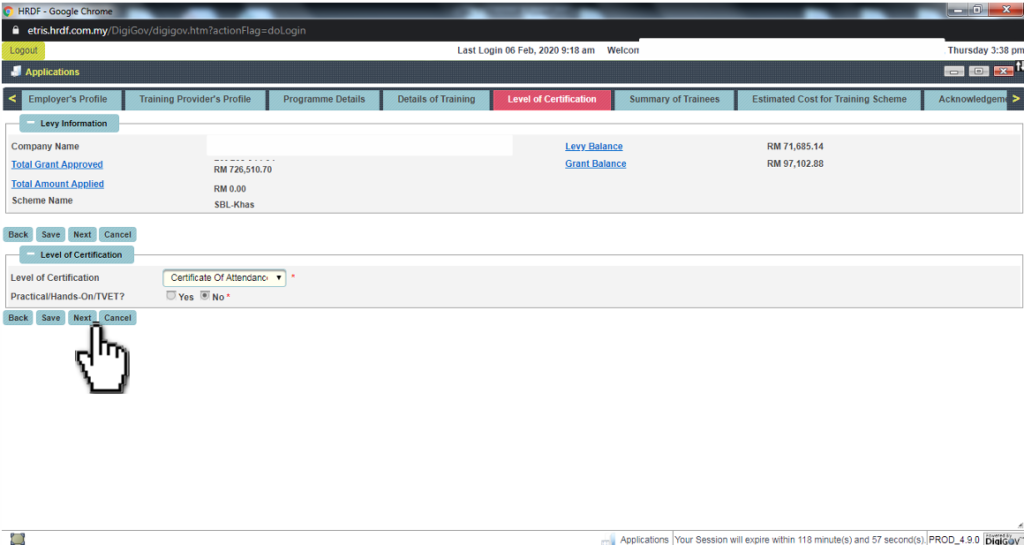
- Select the appropriate Level of Certification (e.g., Certificate Of Attendance) and click Next.
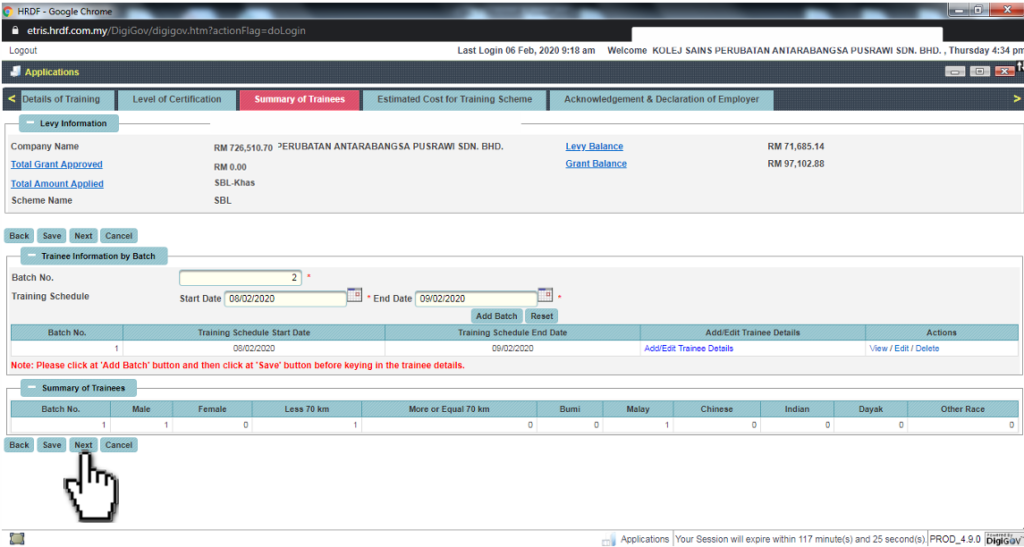
13. Entering Trainee Information:
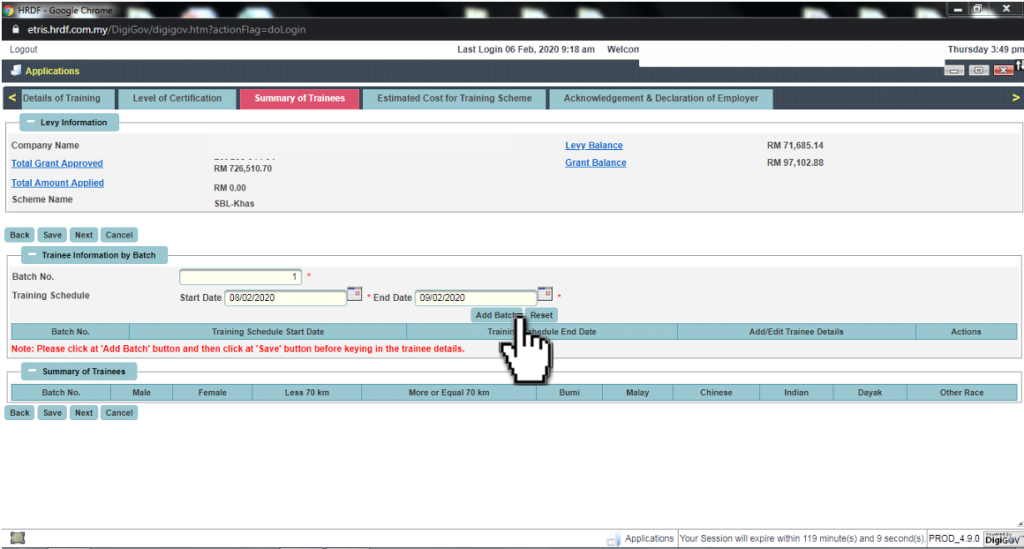
Select the training schedule (Start Date & End Date).
Click the Add Batch button and click Save before keying in trainee details.
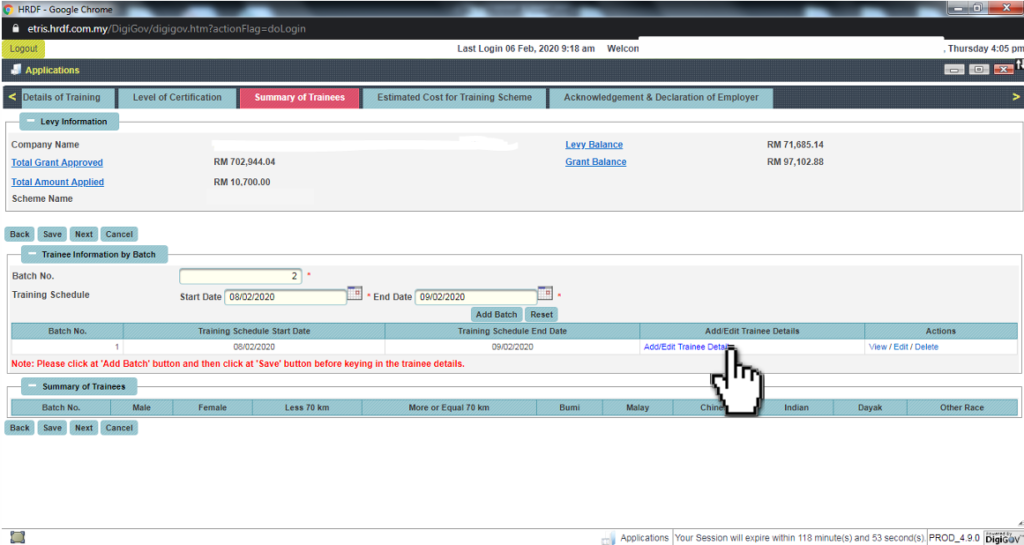
Click Add/Edit Trainee Details.
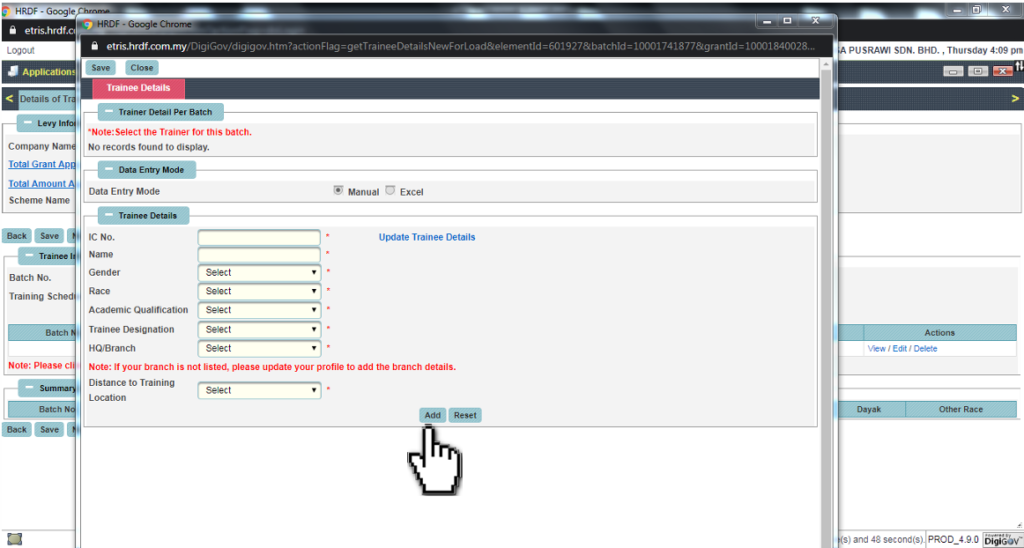
Key in all required trainee details (IC No., Name, Gender, Race, Academic Qualification, Designation, HQ/Branch, and Distance to Training Location) and click Add.
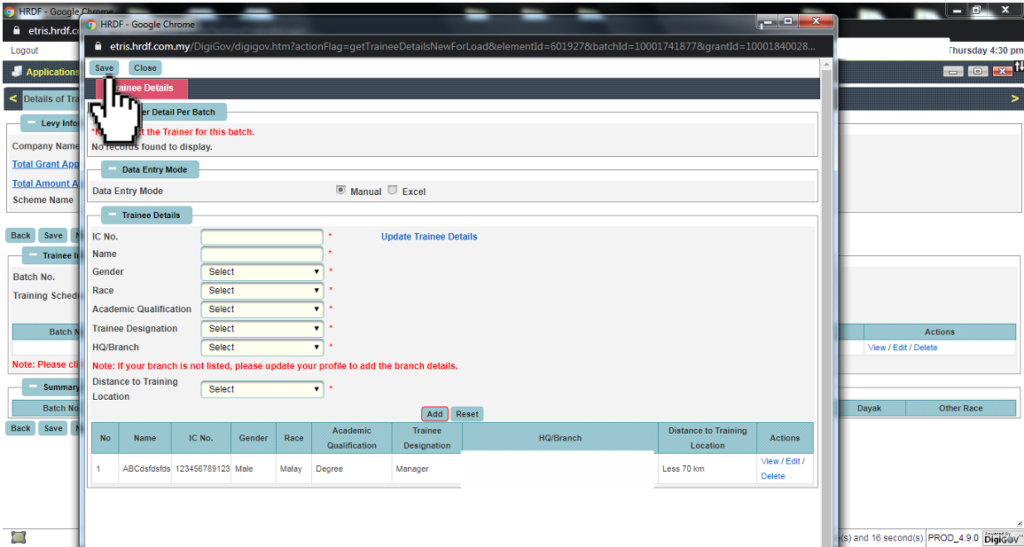
Click Add to include more participants, or click Save once completed.
Review the summary of trainees and click Next.
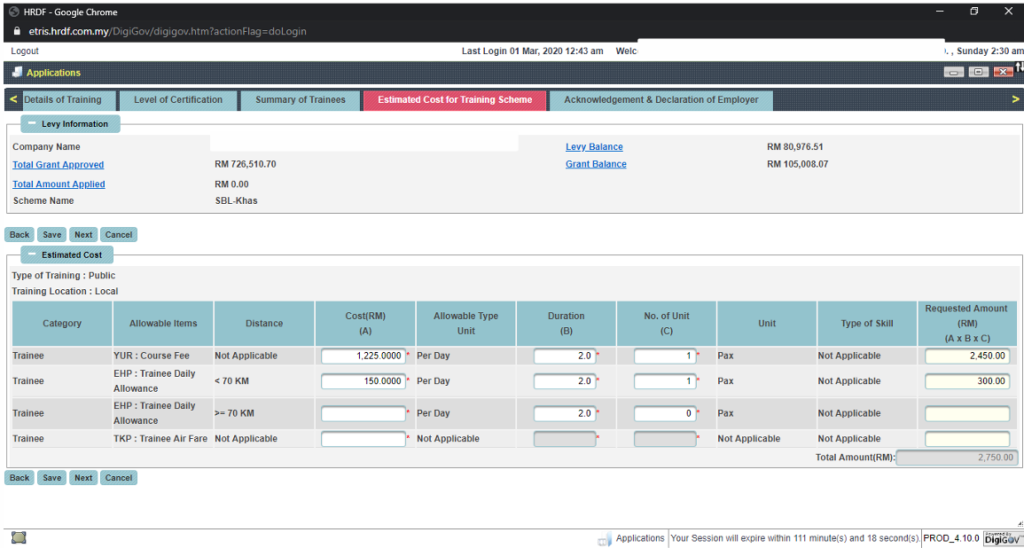
Step 5: Estimated Costs, Declaration & Submission
- Key in all course fee details and allowable expenses (e.g., daily allowance, airfare) accurately, then click Next.
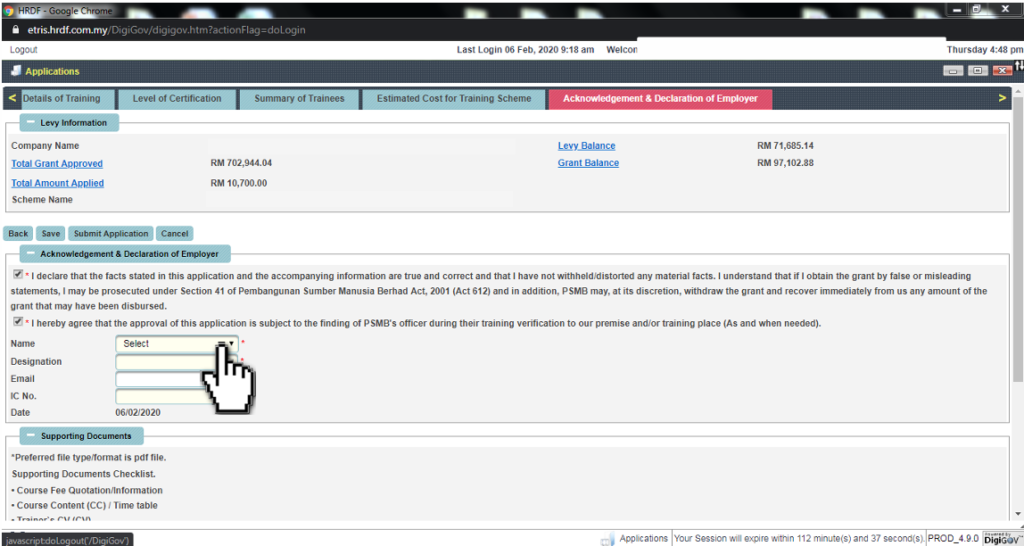
- Tick the Acknowledgement & Declaration of Employer checkboxes and select the designated officer.
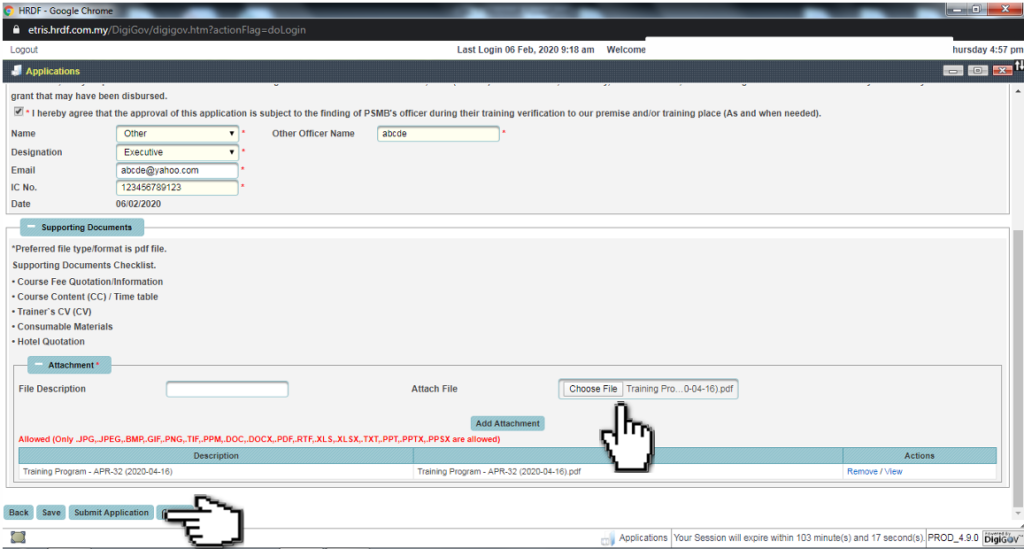
- Under Supporting Documents, click Choose File / Add Attachment to upload all required documents (PDF format preferred, such as Quotation, Course Content, Trainer CV).
- Click Save, then click Submit Application.
POST-SUBMISSION PROCESS
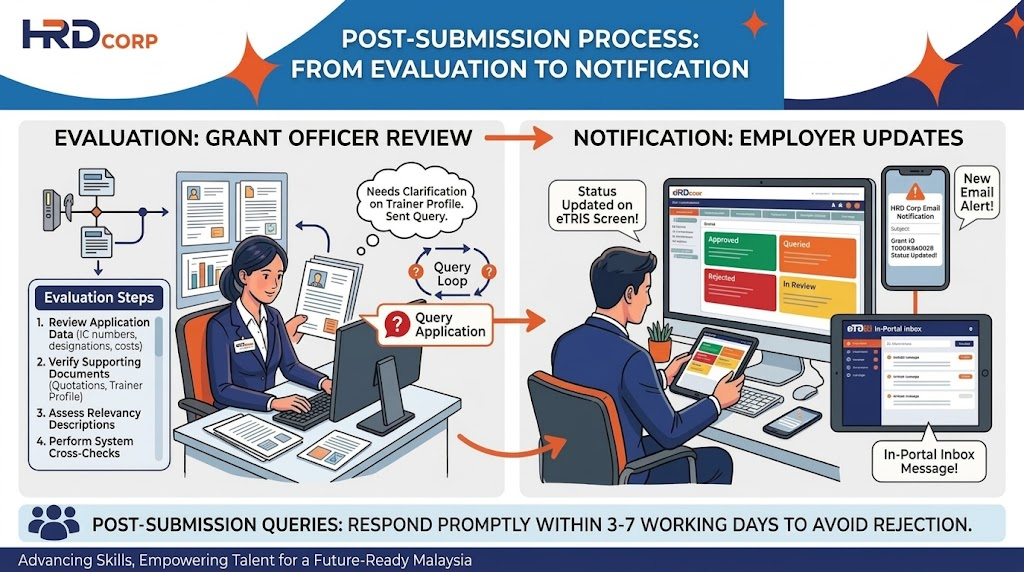
Evaluation: Once submitted, the Grant Officer will evaluate your request and may query the application if any additional information is needed.
Notification: Application status updates will be reflected directly on the employer’s eTRiS screen and notified via email and in-portal inbox.
CONCLUSION
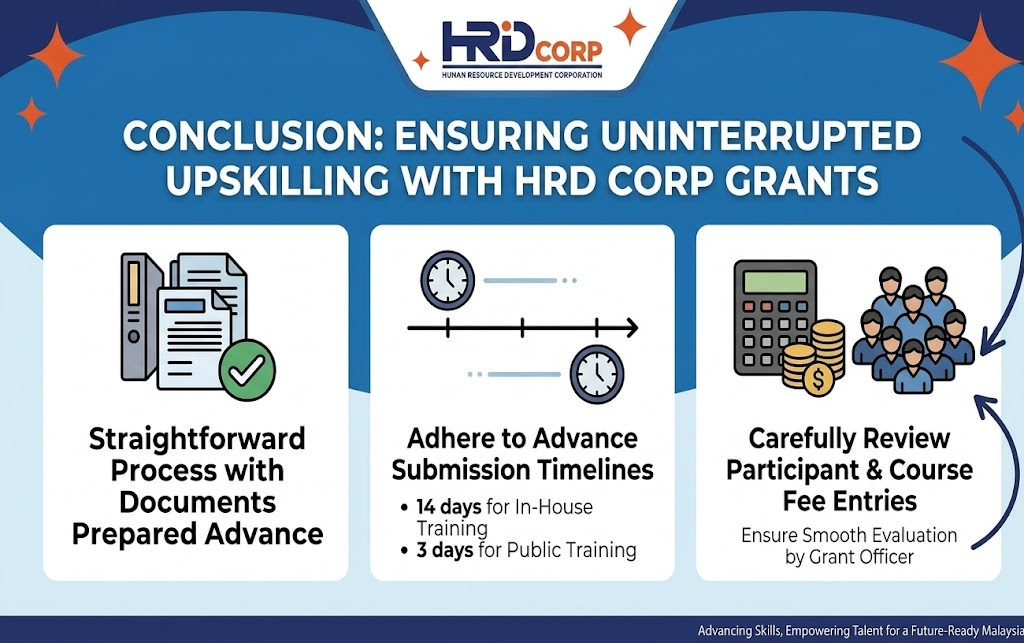
Applying for an HRD Corp grant through the eTRiS portal is a straightforward process when you have all supporting documents prepared in advance. By adhering to the advance submission timelines – 14 calendar days for in – house training and 3 calendar days for public training – employers can ensure uninterrupted upskilling opportunities for their workforce without facing processing delays. Make sure to review all participant and course fee entries carefully before hitting submit to ensure a smooth evaluation by the Grant Officer.