
How to access GROK in Malaysia using Google DNS
Category:Artificial Intelligence (AI)
Many users in Malaysia are searching for ways to access Grok, especially after reports that the platform is blocked by MCMC (Malaysian Communications and Multimedia Commission). One commonly discussed method is using Google DNS.
In this article, we explain what Google DNS is, how it may help, and how to set it up, while also highlighting important limitations and legal considerations.
Why You Should Use Google DNS to Access Grok in Malaysia
The MCMC may restrict access to certain platforms due to:
- Content regulations
- Compliance issues
- National internet policies
When a website is blocked, Internet Service Providers (ISPs) in Malaysia often use DNS-level blocking, which prevents the domain from resolving correctly.
What Is Google DNS? https://developers.google.com/speed/public-dns
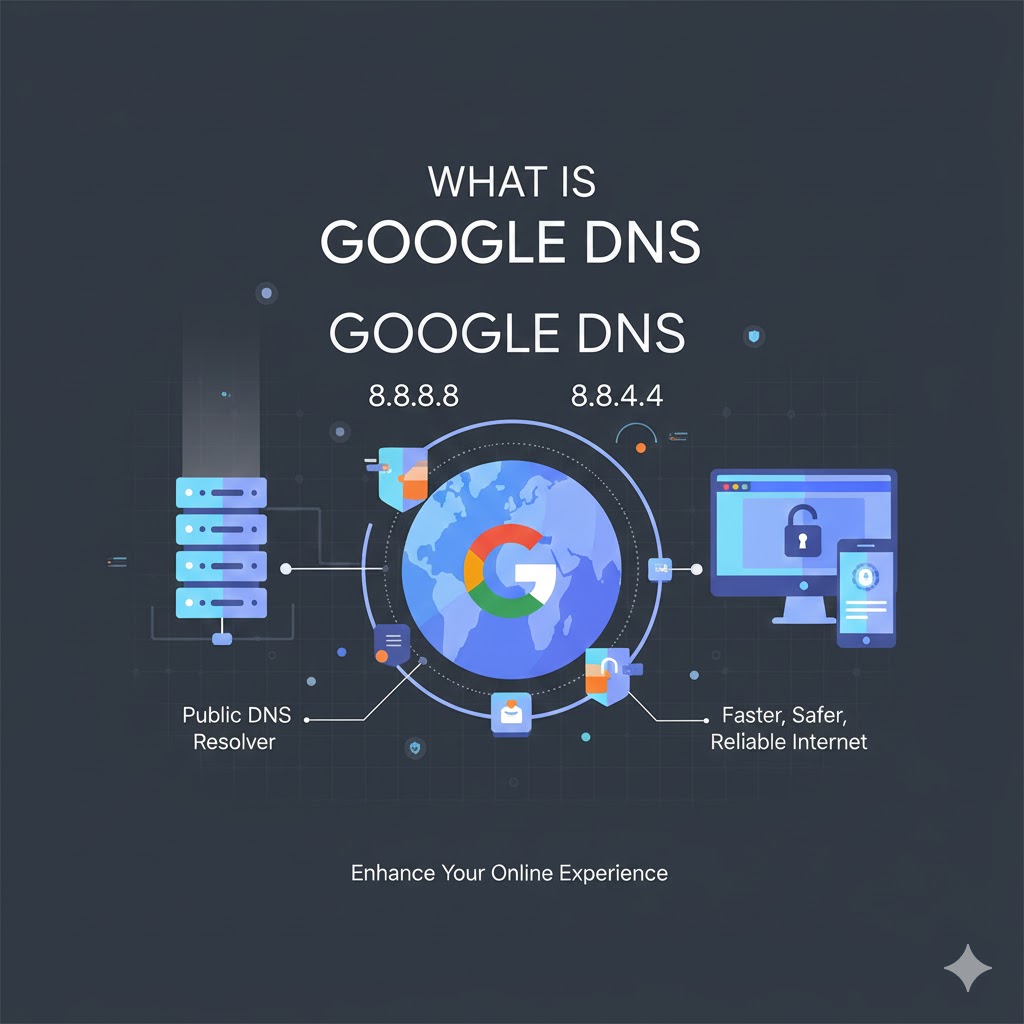
Google DNS is a public Domain Name System service provided by Google.
Instead of using your ISP’s default DNS, you use Google’s DNS servers:
- Primary DNS:
8.8.8.8 - Secondary DNS:
8.8.4.4
Google DNS is known for:
- Faster browsing
- Better reliability
- Improved security against DNS spoofing
Can Google DNS Bypass MCMC Blocks in Malaysia?
In some cases, yes but with limitations.
If Grok is blocked only at the DNS level, switching to Google DNS may allow access.
However, if the block is done using IP blocking or deep packet inspection (DPI), Google DNS alone will not work.
How to Access Grok in Malaysia using Google DNS Step by Step
On Android
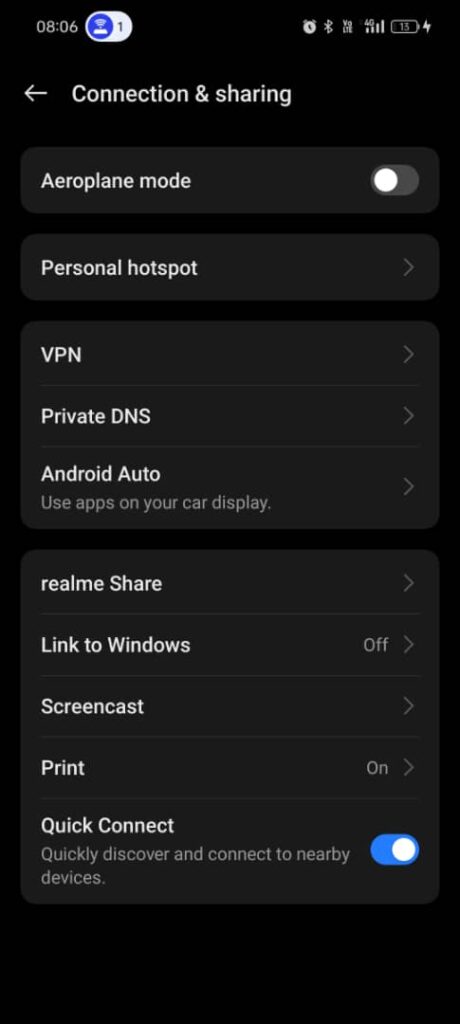
- Go to Settings > connections & sharing
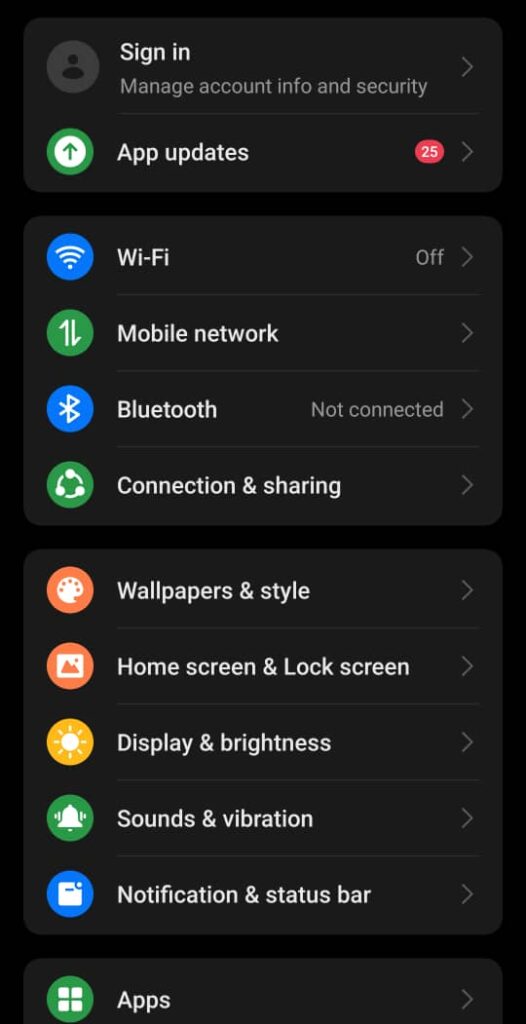
2.Tap Private DNS
3.Select specified DNS>DNS address
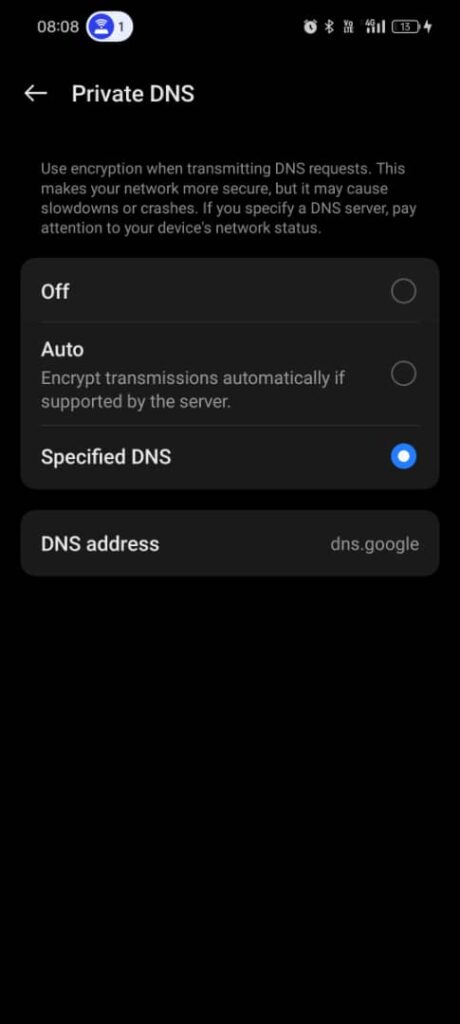
4.Enter: dns.google
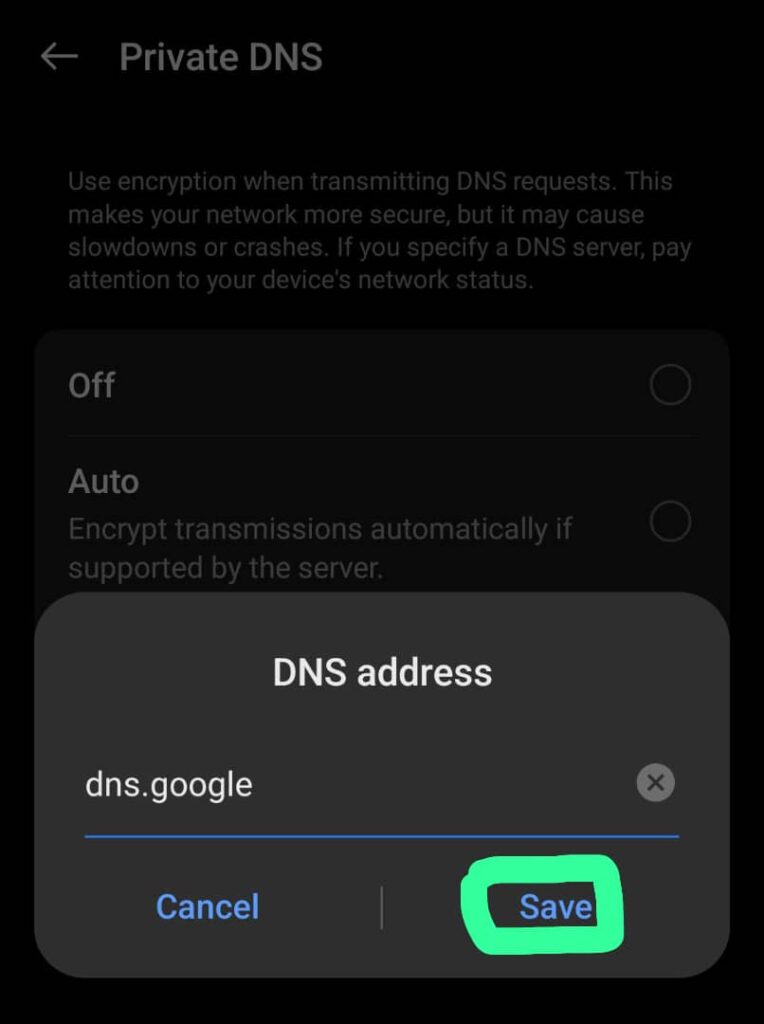
5.Save and reconnect
Important Things to Know Before Using Google DNS to Access Grok
- ❌ Google DNS does not encrypt traffic
- ❌ It does not hide your IP address
- ❌ It may not work if MCMC uses advanced blocking methods
- ✅ It is safe and legal to use
- ✅ It can improve browsing speed and reliability
Is Using Google DNS Legal in Malaysia?
Using Google DNS itself is legal, as it is simply an alternative DNS resolver.
However, users should always:
- Follow Malaysian laws
- Avoid accessing illegal or copyrighted content
- Understand that bypassing restrictions may carry risks
Alternatives If Google DNS Doesn’t Work
If Google DNS fails to access Grok, other commonly discussed options include:
- Secure VPN services
- Legal AI or chatbot alternatives
- Platforms officially available in Malaysia
Conclusion
If Grok is banned in Malaysia by MCMC, switching to Google DNS (8.8.8.8 / 8.8.4.4) may help only in DNS-based blocks. While it’s a simple and safe method, it is not guaranteed to work in all cases.
For better results, users should understand how internet blocking works and always prioritize security, privacy, and legality.