
7 Cara Mudah Cikgu Guna ChatGPT Image 2.0 Untuk PdP + Contoh Prompt Lengkap
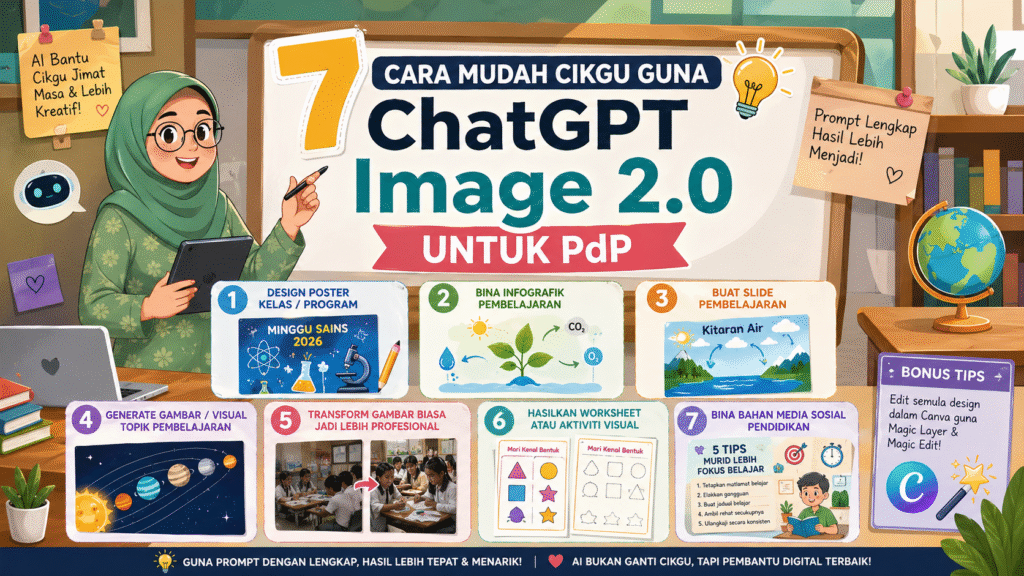
ChatGPT Image 2.0 Untuk Guru: Mudahkan Kerja, Cantikkan Bahan Mengajar
7 Cara Mudah Cikgu Guna ChatGPT Image 2.0 Teknologi AI semakin membantu dunia pendidikan. Salah satu tools yang semakin popular ialah OpenAI ChatGPT Image 2.0. Dengan hanya menggunakan prompt yang betul, cikgu boleh hasilkan poster sekolah, infographic, worksheet, visual pembelajaran dan content media sosial dengan lebih cepat dan menarik.
Bukan sahaja menjimatkan masa, malah hasil visual juga nampak lebih profesional walaupun tanpa kemahiran design yang tinggi.
Dalam artikel ini, kami kongsikan 7 cara mudah cikgu boleh gunakan ChatGPT Image 2.0 untuk kerja harian berserta contoh prompt lengkap yang boleh terus copy-paste.
1. Design Poster Kelas & Program Sekolah
Cikgu boleh gunakan ChatGPT Image 2.0 untuk menghasilkan poster:
- Minggu Panitia
- Program sekolah
- Kelas tambahan
- Pertandingan
- Bengkel
- Hari sukan
- Kem motivasi
Dengan prompt yang lengkap, AI boleh hasilkan poster yang nampak moden dan sesuai untuk murid sekolah.
Contoh Prompt Poster Sekolah
Create a vertical 4:5 school poster for a Malaysian secondary school program titled “Minggu Sains 2026”. Style: modern, clean, educational, vibrant, suitable for teachers and students. Use blue and yellow tones. Include visual elements related to science such as atoms, microscope, lab glassware, and students learning. Add clear headline text: “MINGGU SAINS 2026”. Add subtext: “Jom sertai pelbagai aktiviti menarik, eksperimen, kuiz dan pertandingan!”. Leave space at the bottom for date, venue, and organizer details.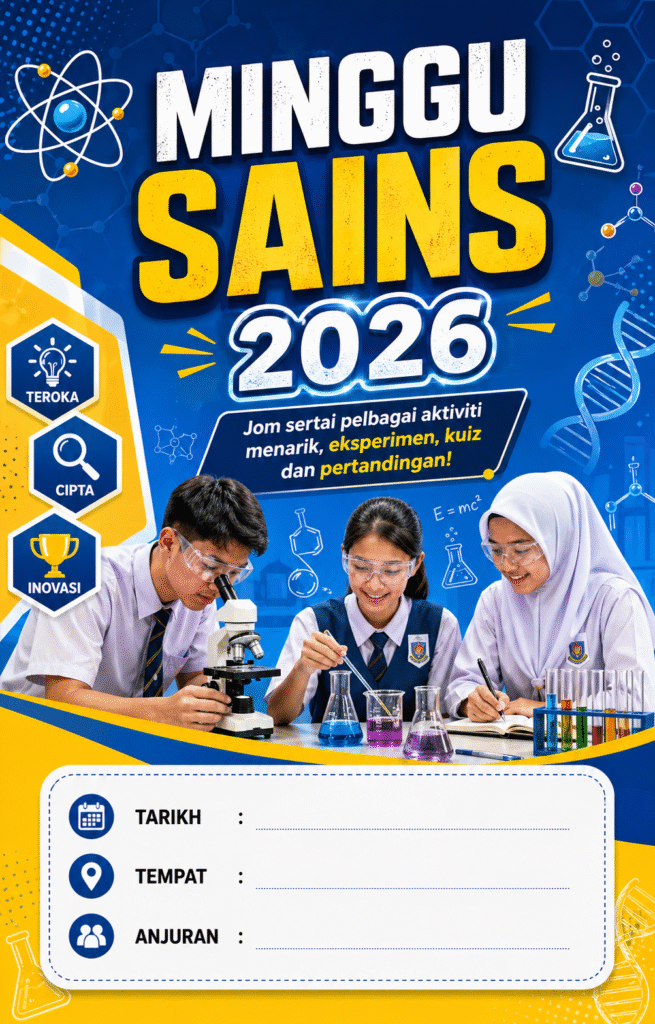
Tips
Semakin lengkap prompt, semakin cantik dan tepat hasil design yang dijana AI.
2. Bina Infographic Pembelajaran Yang Mudah Difahami
Topik yang susah boleh dijadikan lebih menarik melalui infographic visual.
Infographic sangat membantu murid sekolah rendah dan menengah memahami sesuatu konsep dengan cepat.
Contoh Penggunaan
- Fotosintesis
- Sistem suria
- Kitaran air
- Rantai makanan
- Tatabahasa
- Sejarah Malaysia
Contoh Prompt Infographic
Create an educational infographic in Bahasa Malaysia for Year 5 students about “Proses Fotosintesis”. Style: simple, colourful, easy to understand, child-friendly, with icons and visual labels. Show the role of sunlight, water, carbon dioxide, chlorophyll, and oxygen. Include short explanations in Bahasa Malaysia. Make it clean, attractive, and suitable for classroom teaching material.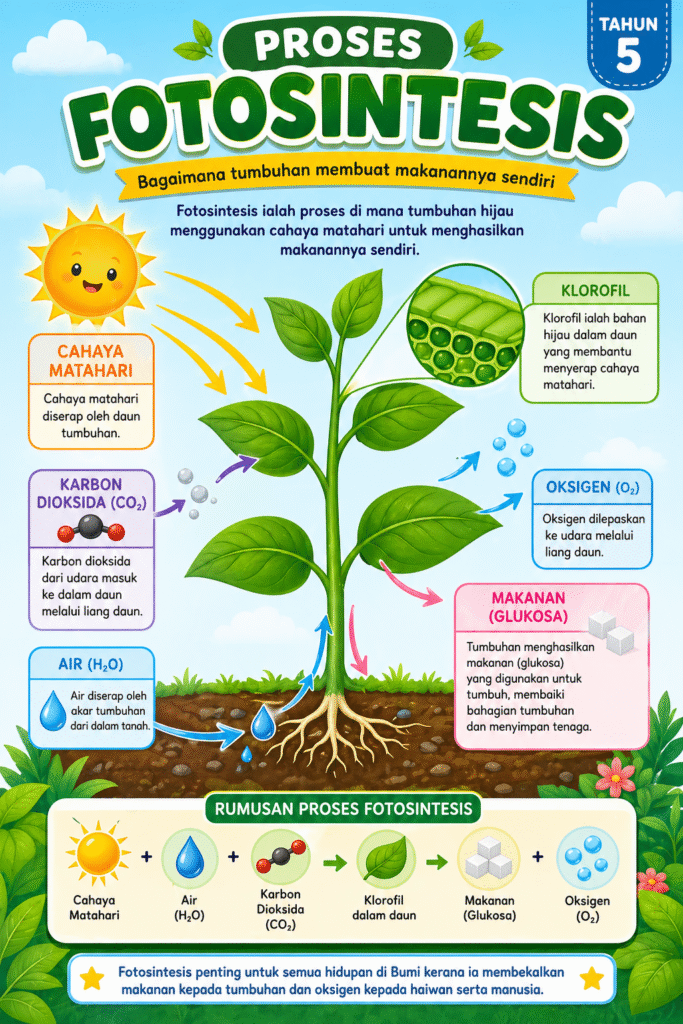
3. Hasilkan Slide Pembelajaran Yang Lebih Visual
Ramai guru mengambil masa lama untuk siapkan slide pembelajaran.
Dengan ChatGPT Image 2.0, cikgu boleh terus generate visual slide yang lebih kemas dan profesional.
Kelebihan
- Lebih cepat siap
- Nampak moden
- Sesuai untuk projector
- Mudah difahami murid
Contoh Prompt Slide
Create a presentation slide design for a classroom lesson in Bahasa Malaysia about “Kitaran Air” for primary school students. Style: clean, modern, educational, visually engaging. Layout should include a title area, a main visual diagram of the water cycle, and space for short explanation points. Use a classroom-friendly design with blue tones and simple illustrated icons. Make it suitable as one teaching slide.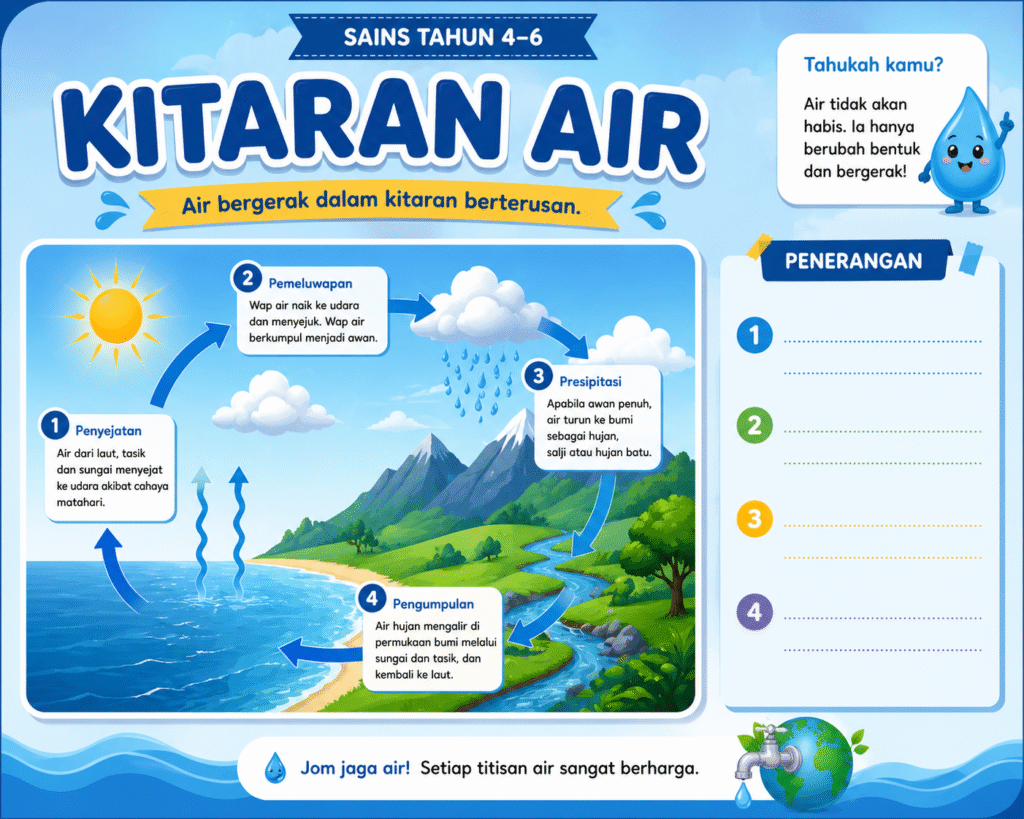
4. Generate Gambar Pendidikan Ikut Topik Pembelajaran
Kadang-kadang susah cari gambar yang sesuai di internet.
AI boleh bantu hasilkan visual sendiri mengikut topik pembelajaran yang diperlukan.
Sesuai Untuk
- Worksheet
- Slide
- Nota
- Buku latihan
- Kuiz
- Aktiviti kelas
Contoh Prompt Visual Pendidikan
Create a realistic educational illustration showing the solar system for school teaching purposes. Show the sun and the eight planets clearly in order. Make the image visually attractive, neat, and suitable for use in a classroom worksheet or presentation. Add labels for each planet in English. Clean background, educational style, high clarity.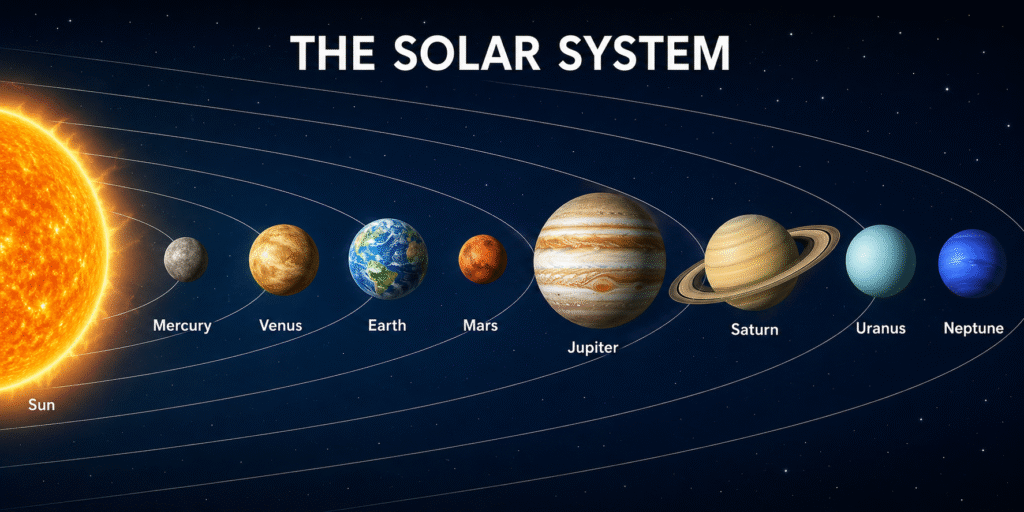
5. Transform Gambar Aktiviti Sekolah Jadi Lebih Profesional
Kalau ada gambar aktiviti sekolah, projek murid atau gambar kelas, cikgu boleh gunakan AI untuk enhance gambar tersebut.
AI Boleh Bantu:
- Cerahkan gambar
- Tajamkan visual
- Buat gambar lebih profesional
- Kekalkan suasana asal sekolah
Contoh Prompt Enhance Gambar
Enhance this classroom activity image into a cleaner, brighter, and more professional educational visual. Improve lighting, sharpen details, and make the overall image look more attractive for a school report or social media post. Preserve the original classroom setting and educational feel. Make it look polished but still realistic.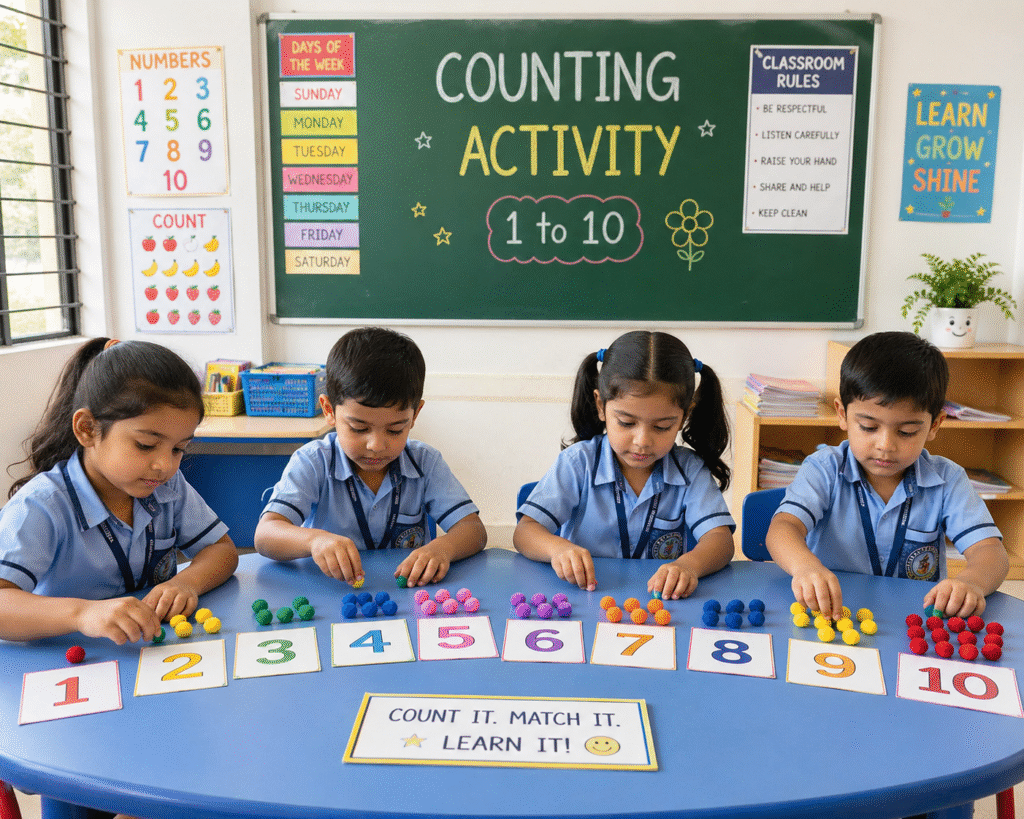
Kalau Tiada Gambar Asal
Create a realistic image of a cheerful Malaysian classroom with students actively doing group work. The classroom should look clean, bright, and engaging. Show students discussing, writing, and collaborating. Style: realistic, warm, professional, suitable for educational promotion material.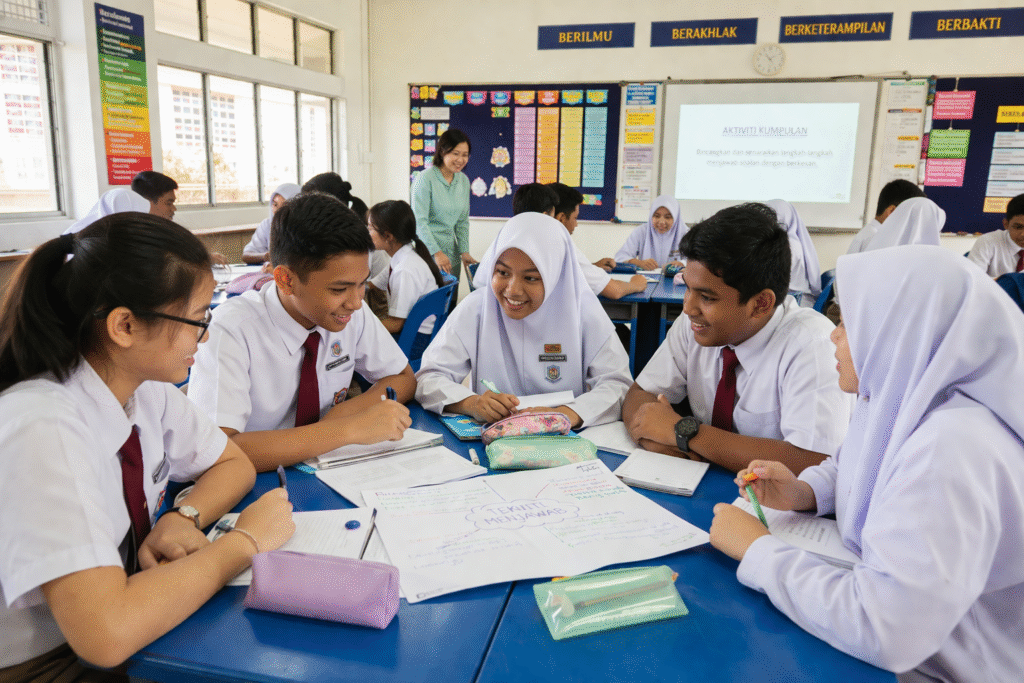
6. Hasilkan Worksheet & Aktiviti Visual
Worksheet yang menarik boleh meningkatkan fokus murid, terutama murid prasekolah dan sekolah rendah.
AI boleh bantu hasilkan worksheet yang lebih interaktif dan mudah dicetak.
Contoh Aktiviti
- Matching
- Coloring
- Circle the answer
- Fill in the blanks
- Maze
- Flashcard
Contoh Prompt Worksheet
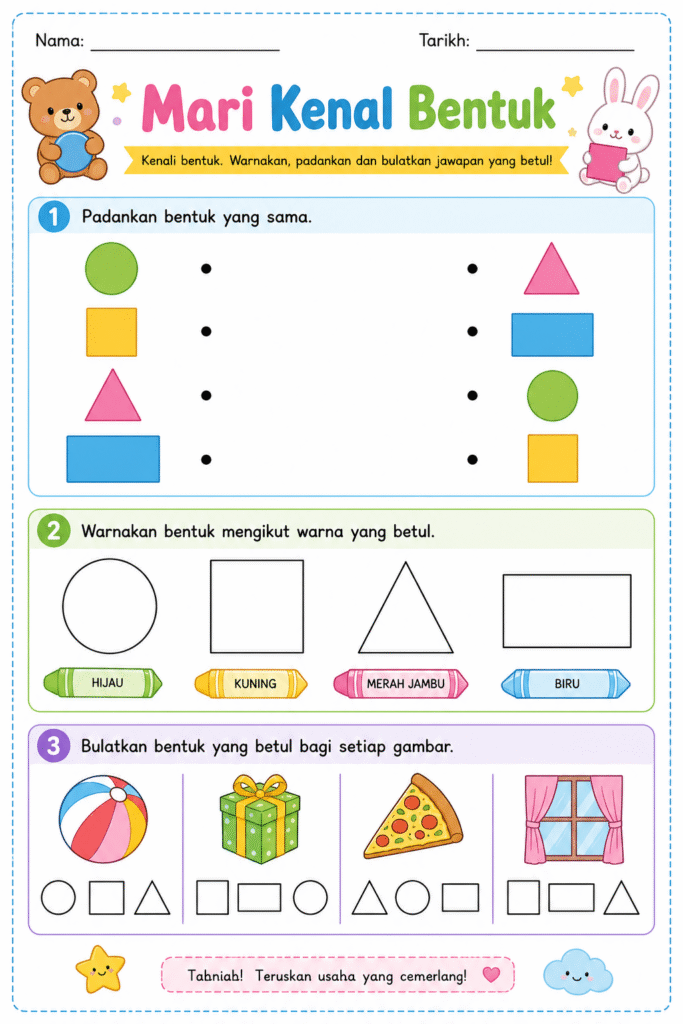
Create a printable worksheet page in Bahasa Malaysia for preschool students to learn shapes. Include simple activities such as matching shapes, colouring shapes, and circling the correct shape. Use cute and clean illustrations. Style: child-friendly, educational, simple, and easy to print. Title: “Mari Kenal Bentuk”. Make the layout neat and suitable for classroom use.
7. Buat Content Media Sosial Pendidikan
Sekolah dan guru juga boleh gunakan ChatGPT Image 2.0 untuk hasilkan content pendidikan di:
- TikTok
- WhatsApp Channel
Visual yang menarik membantu penyampaian maklumat jadi lebih efektif kepada ibu bapa dan murid.
Contoh Prompt Content Media Sosial
Create a square social media educational post in Bahasa Malaysia with the headline “5 Tips Murid Lebih Fokus Belajar”. Style: modern, clean, friendly, and suitable for school or teacher social media. Use soft academic colours and educational icons. Include five short tips in easy-to-read text. The design should look professional, engaging, and suitable for parents and students.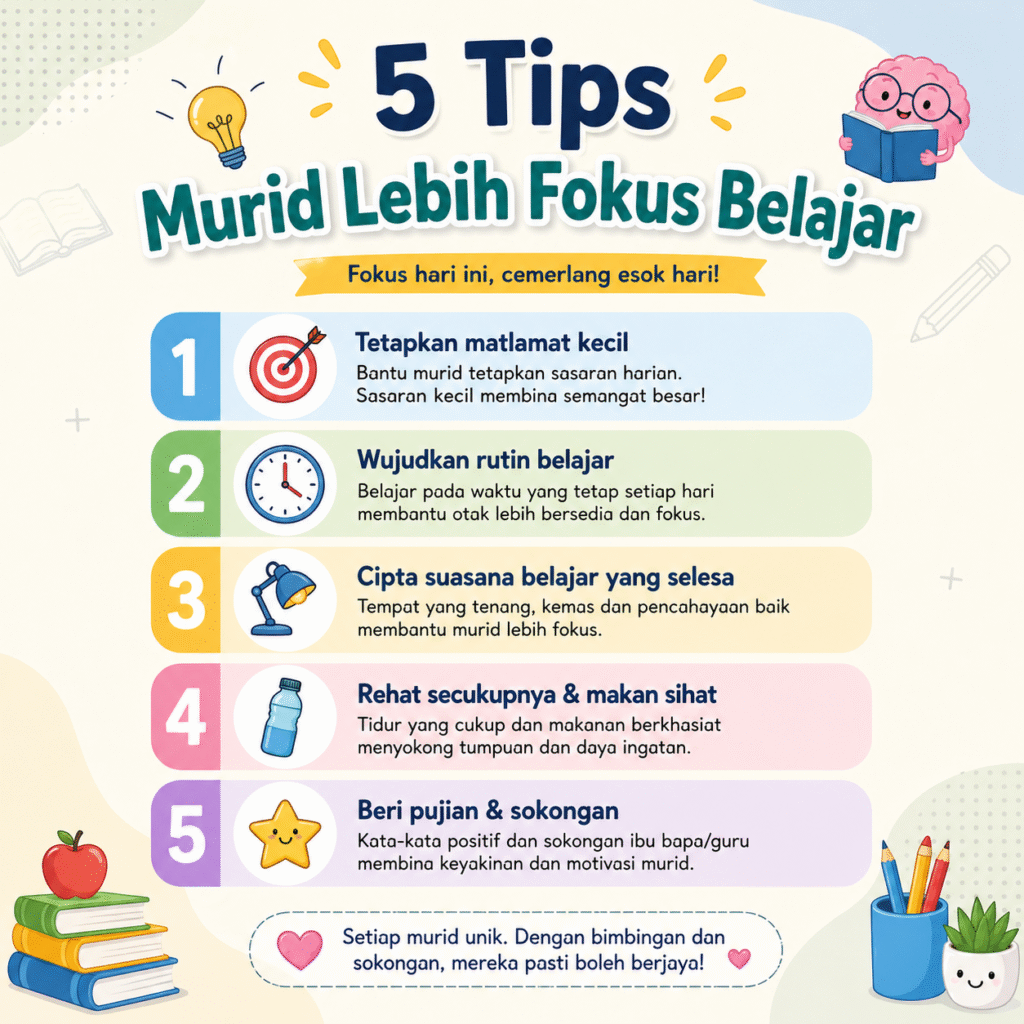
Bonus: Edit Semula Design Dalam Canva
Selepas generate design menggunakan AI, cikgu juga boleh edit semula di Canva menggunakan fitur seperti:
- Magic Layer
- Magic Edit
- Background Remover
- Auto Resize
Ini memudahkan cikgu tambah logo sekolah, tarikh program atau maklumat tambahan.
Tips Penting Untuk Tulis Prompt AI Yang Lebih Menjadi
Untuk dapat hasil terbaik:
✅ Gunakan detail yang lengkap
✅ Nyatakan jenis design
✅ Nyatakan warna tema
✅ Beritahu sasaran pengguna
✅ Letak gaya visual yang diingini
✅ Nyatakan saiz design jika perlu
Semakin spesifik prompt, semakin tepat hasil yang AI akan hasilkan.
Kesimpulan
Penggunaan ChatGPT Image 2.0 dalam pendidikan membantu guru bekerja dengan lebih pantas, kreatif dan efisien. Dari poster sekolah hingga worksheet murid, semuanya boleh dihasilkan menggunakan AI hanya dengan beberapa arahan mudah.
Teknologi AI bukan untuk menggantikan guru, tetapi untuk membantu cikgu menghasilkan bahan pembelajaran yang lebih menarik dan berkualiti.
Kalau digunakan dengan betul, AI boleh menjadi “assistant digital” terbaik untuk guru masa kini.